United Kingdom
AI Bedroom Design Ideas
Explore AI Bedroom design ideas with Home Aura. Upload a photo, pick a style, and visualise layouts, colours, lighting and décor. Design faster with Home Aura.
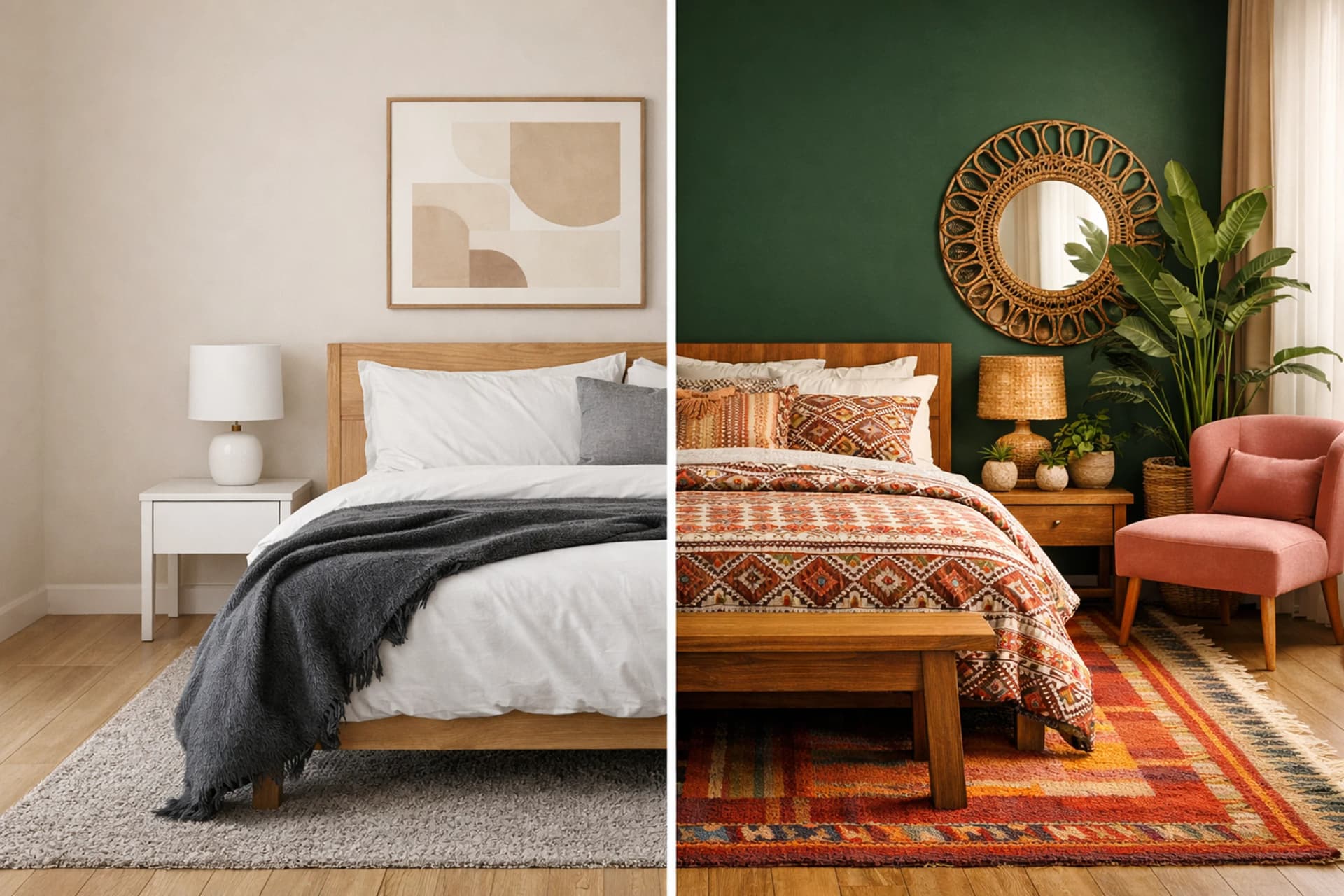
What you can do with Home Aura
Photo-based results
Upload your photo and preview realistic design directions.
Style + palette ideas
Try modern, minimalist, cosy, luxury and more with AI-driven colour suggestions.
Fast iterations
Generate multiple options to compare layouts, lighting, décor and finishes.
Explore AI Bedroom design ideas with Home Aura. Upload a photo, pick a style, and visualise layouts, colours, lighting and décor.
This room page targets high-intent searches like AI interior design and room redesign.
Design ideas you can generate
- Layout options for your bedroom (zones, furniture placement, flow)
- Style and colour palette variations
- Lighting, décor and finish suggestions
Practical tips (AI-first)
- Use a bright, clear photo for best results.
- Generate a few options, then compare side-by-side.
- Change one variable at a time (style or colours or layout).
Bedroom AI interior design: styles, layout & colour ideas
Below are practical, room-specific ideas to support AI interior design decisions for your bedroom — including styles, a checklist, common mistakes, and example prompts.
Popular styles for this room
- Minimal calm (neutral tones + clean lines)
- Cozy warm (layered bedding + warm lighting)
- Modern luxury hotel (symmetry + premium textures)
- Soft modern (rounded shapes + muted palette)
- Boho modern (natural fibers + earthy accents)
Room design checklist
- Choose a calming palette (2–3 main colors)
- Add layered lighting (bedside + ambient)
- Keep pathways clear on both sides of the bed
- Use textiles for softness (curtains, rug, bedding)
- Plan storage to keep surfaces clean
Common mistakes to avoid
- Harsh overhead lighting only
- Too many decorative colors (visual noise)
- No bedside lighting or outlets considered
- Undersized nightstands/rug scale
Example AI prompts (copy/paste)
- Modern bedroom redesign, calm neutral palette, soft textures, warm bedside lamps, minimal décor
- Cozy bedroom, beige + wood tones, layered bedding, curtains, warm lighting, realistic daylight
- Luxury hotel bedroom, symmetrical layout, upholstered headboard, accent wall, premium finishes
- Small bedroom layout, maximize storage, minimalist style, bright and airy
- Boho-modern bedroom, natural rattan, earthy accents, plants, soft textiles
Bedroom: small spaces, layouts & realistic constraints
If your Bedroom is small or awkwardly shaped, add clear constraints before generating: what must stay, what can change, and what circulation space you need to keep. This produces more buildable ideas.
Pick 1–2 goals (more storage, brighter lighting, calmer style) and generate multiple options with the same base constraints. You’ll get comparable results instead of random variations.
Photo → AI design: get cleaner Bedroom results
Use a bright, tidy photo (wide angle helps). In your prompt, specify fixed elements (floors, tiles, windows) and how “renovation-heavy” you want the output to be.
If outputs look too “CG”, ask for “realistic lighting”, “natural proportions”, and “keep the existing layout”. These constraints reduce unreal, over-stylised renders.
Bedroom long-tail design topics
Extra subtopics to capture more specific searches and strengthen topical depth.
Sleep-first lighting & calming palettes
For bedroom AI interior design, prioritise sleep comfort: low-glare lighting, softer contrast, and simple materials. Calm is the goal.
- Ask for blackout curtains or layered window treatments
- Use warm neutrals plus one accent colour
- Keep bedside surfaces visually minimal
Small bedroom storage without clutter
In small bedrooms, storage matters more than décor. Prompt for vertical storage, under-bed storage, and a clear path from door to bed.
- Try wardrobe doors: sliding vs. hinged
- Ask for compact bedside tables + wall reading lights
- Keep mirror placement realistic (don’t block circulation)
Related guides
Go deeper with practical workflows, prompt templates, and photo tips.
Best Prompts for AI Home Design (With Examples You Can Reuse)
Copy-and-paste prompt templates for AI home design: style, lighting, materials, and constraints—plus examples for living rooms and kitchens.
Read guide →
AI Interior Design From a Photo: How It Works + Best Practices
Learn how AI interior design apps turn a room photo into design ideas, what affects realism, and the best ways to get cleaner results.
Read guide →
Small Room Design with AI: 10 Tips That Actually Help
Make small spaces feel bigger with AI interior design ideas—layout, lighting, color palette, storage, and focal points.
Read guide →
View all articles
Explore the full blog for AI interior design and AI home design tips.
Go to blog →
Frequently asked questions
How does AI bedroom design work?
Upload a photo, choose a style, and Home Aura generates design directions for layout, colors, and decor.
Can I compare multiple styles?
Yes. Generate a few options (e.g. modern vs minimalist) and compare side-by-side.
What photo works best?
Bright, sharp photos with a clear view of the room typically produce better results.