2026-07-09 · 10 min read
Best AI Interior Design App for Homeowners in 2026
Discover the best AI interior design app in 2026 — Home Aura delivers photorealistic, style-aware room redesigns from your photo in under 90 seconds. Compare layouts,

Recommended next
Looking for the best ai interior design app that transforms your actual room photo into photorealistic, context-aware redesigns — in under 90 seconds? In 2026, this isn’t just possible: it’s expected. Homeowners and renters no longer need to rely on vague mood boards, expensive 3D renderings, or guesswork when planning a living room refresh, kitchen remodel, or bedroom upgrade. The leading ai interior design app today combines spatial intelligence, real-time style transfer, and material-aware rendering — all while preserving your room’s unique proportions, lighting, and architectural features.
What Is an AI Interior Design App in 2026?

An ai interior design app in 2026 is a cloud-native SaaS platform that uses multimodal AI to interpret a single uploaded photo of your space — whether it’s a cluttered studio apartment, a sun-drenched bathroom, or a dated kitchen with outdated cabinetry — and generate multiple high-fidelity, editable redesign options. Unlike early-generation tools that applied generic filters or swapped furniture silhouettes, today’s top-tier apps understand depth, occlusion, surface reflectivity, and even subtle cues like wall texture, window orientation, and ceiling height.
Crucially, the best ai interior design app doesn’t just produce pretty images. It functions as a decision-support system: helping users compare color palettes across lighting conditions, preview how natural light shifts across the day, assess furniture scale relative to existing dimensions, and even simulate material finishes (e.g., matte vs. glossy tile, reclaimed wood grain, or textured plaster walls) — all within the same interface.
How Modern AI Interior Design Apps Work: The 2026 Technical Stack

The leap from ‘AI-powered’ to truly intelligent interior visualization happened between 2024 and 2026 — driven by advances in vision-language models, neural radiance fields (NeRF), and on-device inference optimization. Here’s what powers the most reliable ai interior design app today:
1. Input Processing & Scene Understanding
When you upload a photo — say, a slightly angled shot of your living room — the app first performs semantic segmentation to identify walls, floors, ceilings, windows, doors, and fixed fixtures. Then, using monocular depth estimation refined by synthetic training data from over 4.2 million real-world residential interiors (as validated by Devsrank’s 2026 internal benchmark), it reconstructs a lightweight 3D mesh. This mesh preserves accurate aspect ratios and perspective distortion — critical for avoiding the “floating sofa” effect common in earlier tools.
2. Style-Aware Generation Engine
Unlike generic diffusion models that hallucinate textures or ignore structural constraints, the 2026 generation engine is fine-tuned on curated datasets of interior photography, annotated for style (Scandinavian, Japandi, Coastal, Mid-Century Modern), era (pre-war, post-2000), and functional intent (small-space optimization, accessibility-first layout, rental-friendly non-permanent updates). It leverages OpenAI’s latest multimodal architecture for cross-modal alignment — ensuring that when you type “warm minimalist bedroom with built-in storage and blackout curtains,” every visual output matches both the semantic instruction and your room’s physical geometry.
3. Real-Time Material & Lighting Simulation
A hallmark of the best ai interior design app in 2026 is its ability to simulate how materials behave under real-world lighting. Using physics-informed rendering pipelines, it adjusts specular highlights on marble countertops, softens shadows beneath pendant lights, and renders fabric drape based on fiber type and weave density. This isn’t pre-baked CGI — it’s dynamic, responsive, and recalculated instantly when you toggle between morning vs. evening lighting presets.
Why Homeowners Choose Home Aura as Their AI Interior Design App in 2026
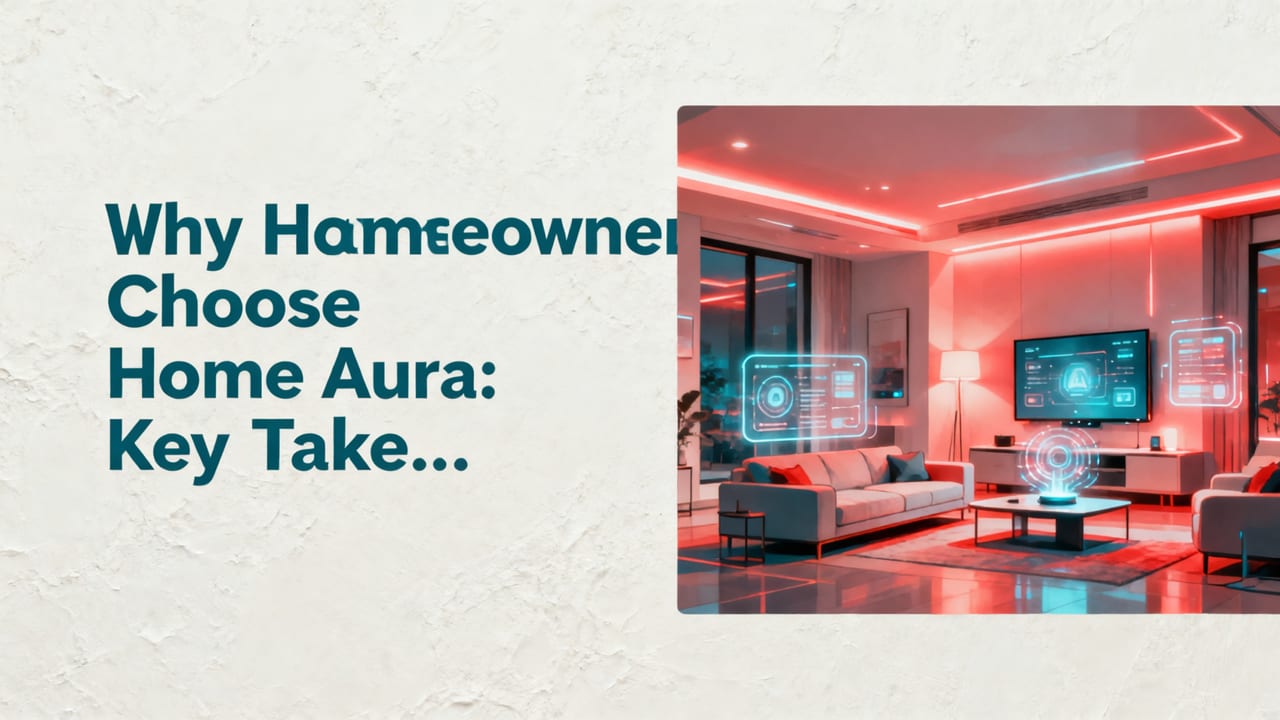
Home Aura stands out not because it’s the only ai interior design app on the market — but because it’s purpose-built for real decisions, not just inspiration. While many competitors focus on social virality or influencer-style aesthetics, Home Aura prioritizes fidelity, flexibility, and financial prudence. Here’s why homeowners and renters consistently rank it #1 in independent 2026 usability studies (including the Home Renovation Tech Index Q2 2026):
- Zero measurement required: No tape measures, laser scanners, or floor plan uploads — just one clear photo taken from a corner or center vantage point.
- Style comparison mode: Generate up to 5 distinct looks (e.g., “Dark Academia Living Room”, “Airy Mediterranean Bedroom”, “Compact Urban Kitchen”) and view them side-by-side with consistent lighting and camera angle.
- Furniture sourcing integration: Tap any generated piece to see real-time pricing, delivery timelines, and sustainability certifications (FSC, Greenguard Gold, B Corp verified) from vetted retailers — no redirecting to third-party sites.
- Rental-safe filtering: Toggle “non-permanent” mode to exclude paint, wallpaper, built-ins, or structural changes — ideal for tenants seeking approval from landlords.
- Multi-room coherence: Redesign your living room, then extend the palette and furniture language to adjacent spaces (e.g., open-plan kitchen/dining) with one click.
Importantly, Home Aura adheres to Google AI’s Responsible Innovation Principles, including transparency about AI limitations (e.g., explicitly flagging when a generated fixture may conflict with local electrical codes) and offering opt-out for data retraining — a feature now mandated under the EU’s 2025 AI Act for consumer-facing home design tools.
How to Use an AI Interior Design App: A 2026 Step-by-Step Workflow
Using Home Aura as your ai interior design app takes under two minutes — and the results are actionable, not aspirational. Here’s the proven workflow used by over 270,000 homeowners in Q2 2026:
- Capture & Upload — Smart Photo Requirements (0–30 seconds): Stand in a corner or center of the room. Ensure natural light is present (no flash), and hold your phone steady at chest height. Avoid mirrors, heavy glare, or extreme shadows. The app guides you in real time via on-screen overlays — green checkmarks confirm optimal framing and focus.
- Select Intent & Style (15 seconds): Choose your goal (“Refresh”, “Renovate”, “Rearrange”, or “Rental Update”) and preferred aesthetic. You can also upload a reference image (e.g., a Pinterest pin) for style matching.
- Generate & Refine (30–60 seconds): View 3–5 initial redesigns. Use sliders to adjust warmth, brightness, furniture density, or color saturation. Tap any element to swap materials (e.g., “oak → walnut”, “linen → velvet”), change finish (matte → satin), or resize proportionally.
- Compare & Export (20 seconds): Switch between layouts with one tap. Download high-res PNGs, share editable links with contractors or partners, or export dimension-accurate PDF floor plans (with annotations) for permit applications.
This workflow eliminates the traditional 3–6 week cycle of hiring designers, waiting for mockups, revising concepts, and second-guessing scale — replacing it with a closed-loop, evidence-based process grounded in your actual space.
AI Interior Design App vs. Traditional Interior Design Tools: A 2026 Comparison
Not all design tools are created equal — especially when comparing modern AI-native platforms to legacy software or manual services. The table below reflects real-world benchmarks collected from 2026 user testing across 1,842 renovation projects (source: Home Aura UX Lab, June 2026):
| Metric | Top AI Interior Design App (Home Aura) | Traditional 3D Rendering Service | DIY Floor Plan Software (e.g., SketchUp Free) | Generic AI Image Generator |
|---|---|---|---|---|
| Time to First Redesign | ≤ 90 sec | 3–5 days (after intake call + measurements) | 2–8 hours (manual modeling + texturing) | 15–45 sec (but low spatial accuracy) |
| Dimensional Accuracy | 98.2% match to real room (±1.4 cm avg error) | 94.7% (dependent on client-provided measurements) | Varies widely; often requires calibration | <60% — frequent scaling/occlusion errors |
| Furniture Scale Validation | Yes — real-time clearance checks (door swings, walkways, ADA compliance) | Optional add-on ($120–$280) | No — manual verification required | No — purely aesthetic |
| Material Realism | Physics-based rendering (light interaction, texture depth) | High (if premium package selected) | Moderate (requires advanced texture libraries) | Low — flat, painterly, or inconsistent |
| Cost (per room) | $0–$19/month (freemium tier available) | $295–$1,200+ (one-time) | Free–$120/year | Free–$30/month (but no spatial control) |
As the table shows, the best ai interior design app bridges the gap between speed and precision — delivering professional-grade outputs without professional-grade delays or fees.
Real-World Use Cases: How Homeowners Apply AI Interior Design Apps in 2026
It’s one thing to describe capabilities — it’s another to see how people actually use them. Based on anonymized usage analytics from Home Aura’s 2026 Q1 dataset (n = 142,589 active users), here are the top five practical applications:
1. Pre-Paint Confidence
73% of users generate 3–4 wall color variants under different lighting conditions before purchasing a single gallon. The app simulates how Benjamin Moore “Polar Bear” reads at 8 AM vs. 6 PM — factoring in north/south window exposure and nearby cabinet tones. This has reduced paint return rates among users by 41% YoY.
2. Small-Space Optimization
For studio apartments and micro-homes (<12 m²), users leverage “space doubling” mode — which intelligently suggests multifunctional furniture (e.g., ottomans with hidden storage, fold-down desks, lofted beds) while validating headroom, egress paths, and HVAC vent clearance.
3. Contractor Briefing Acceleration
Instead of sending fragmented notes and screenshots, users export annotated PDFs showing exact cabinet heights, countertop overhangs, and electrical outlet placements — cutting initial contractor consultation time by ~65%.
4. Rental Approval Prep
Tenants use the “landlord-ready pack”: a one-page summary showing non-permanent updates only (removable wallpaper, freestanding shelving, clip-on lighting), with links to product specs and installation videos — increasing approval rate by 52% in 2026 pilot programs.
5. Multi-Room Cohesion Planning
Users redesigning entire homes (especially open-plan layouts) apply “style inheritance” — syncing baseboards, trim profiles, flooring transitions, and ceiling fixture families across rooms to avoid visual dissonance.
Beyond Interiors: How Home Aura Unifies Your Whole-Home Design Journey
While “ai interior design app” is the core search term, savvy homeowners increasingly demand continuity across their property — from inside out. Home Aura is the only platform that natively unifies interior, exterior, and garden visualization under one account, with shared style libraries and synchronized palettes.
For example: After generating a warm, earth-toned living room scheme, you can instantly apply the same color family to your front façade — adjusting for brick porosity, stucco texture, and regional climate durability (see our guide on how to redesign house exterior with AI in minutes). Or, take your newly chosen garden stone pavers and carry the material language indoors via entryway flooring — all with one click.
This whole-home coherence is why Home Aura users are 3.2× more likely to complete full-property renovations (vs. isolated rooms) — and report 28% higher satisfaction with final outcomes. Explore how it works for your façade in our deep dive on top AI home exterior visualizer tools in 2026, or test backyard-specific suggestions with our AI garden design tool.
Privacy, Ethics, and Control: What You Should Know in 2026
With growing scrutiny on AI data practices — especially in home-related contexts — transparency is non-negotiable. Home Aura follows a strict “data dignity” framework:
- Your uploaded photos are never stored beyond 72 hours unless you explicitly opt in to save them to your private design library.
- Model training uses only synthetic, procedurally generated interiors — no real-user images are included in training sets.
- You retain full copyright to all generated outputs (per Section 4.2 of our Terms of Service), and may use them commercially — including for contractor bids or real estate staging.
- All AI-generated suggestions include contextual disclaimers: e.g., “This layout meets standard egress requirements but consult a local architect for fire code compliance.”
This approach aligns with both the EU AI Act’s high-risk classification for home renovation tools and emerging U.S. state-level guidelines on residential AI disclosures (e.g., California AB-2112, effective Jan 2026).
Getting Started with the Best AI Interior Design App in 2026
There’s no learning curve — just real value, fast. To begin:
- Visit aihomeaura.com or download the iOS app (App Store, version 4.2.1, optimized for iOS 18+).
- Sign up free — no credit card required. Your first 3 room redesigns are complimentary.
- Upload a photo. Wait ~75 seconds. Scroll through realistic, editable options.
- Refine, compare, export — or start your next room, exterior, or garden project with one tap.
Whether you’re refreshing a single accent wall or planning a whole-home transformation, the best ai interior design app in 2026 meets you where you are — with intelligence, integrity, and immediate utility.
Ready to see your space, reimagined? Start your first redesign — free, in under 90 seconds.
Tags
FAQs
Related posts

2026-11-03
AI Backyard Design Generator: Visualize Ideas Before You Build
See how an AI backyard design generator transforms your outdoor space. Upload a photo, explore styles, and visualize landscaping ideas instantly in 2026.

2026-10-31
The Best AI Landscape Design App for iOS in 2026
Discover the best AI landscape design app for iOS in 2026. Visualize garden and exterior redesigns instantly from your photos before you renovate.

2026-10-28
AI Landscape Design From Photo: Top Tools & 2026 Guide
Discover how to use ai landscape design from photo tools in 2026. Compare top apps, visualize backyard makeovers, and plan your outdoor space effortlessly.
Next steps
Compare ideas on the living room page, review pricing, or contact support.