2026-07-15 · 10 min read
AI Exterior Design for Homeowners in 2026: Realistic, Photo-First
Discover how AI exterior design for homeowners evolved in 2026 — realistic photo-based visualizations, style comparisons, material accuracy, and seamless integration
Recommended next
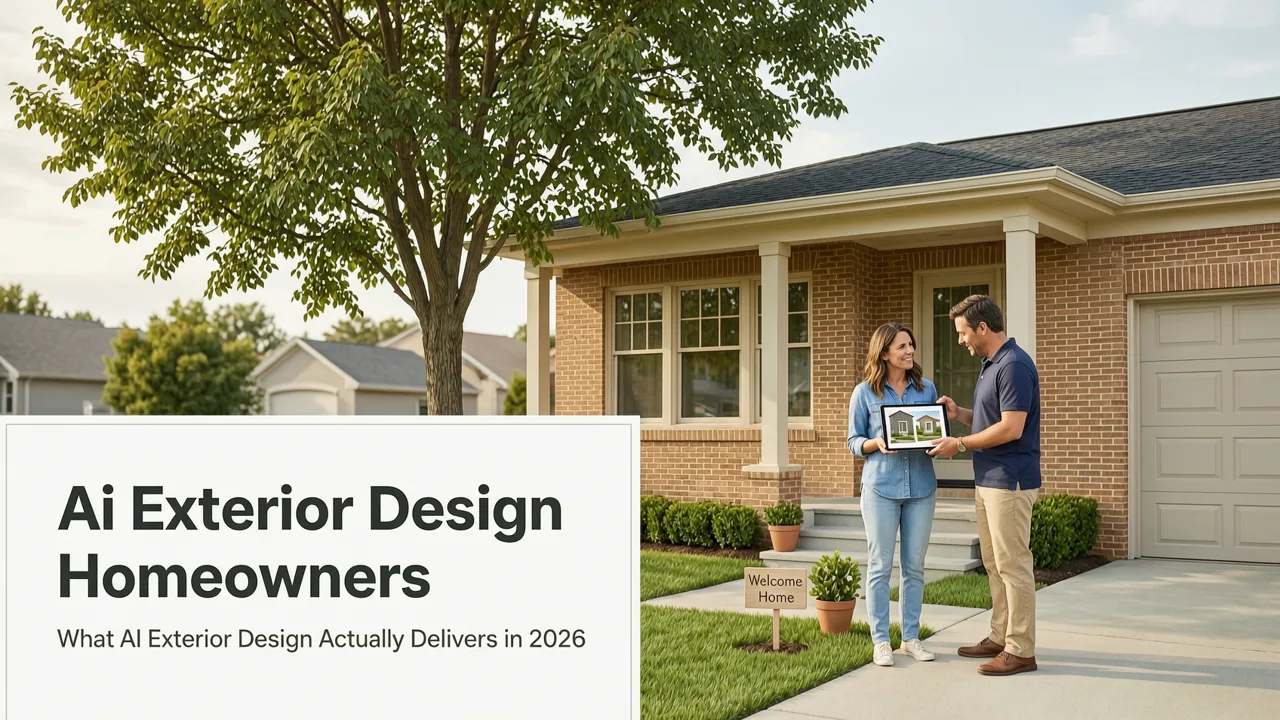
If you’ve ever stood on your front walkway staring at faded siding, mismatched shutters, or a porch that feels stuck in the ’90s—and wished you could instantly see how modern fiber-cement cladding, black-framed windows, or a cohesive curb appeal refresh would look *on your actual home*—you’re not imagining the future. In 2026, AI exterior design for homeowners is no longer speculative. It’s precise, photorealistic, and built around your existing house photo—not stock renderings or generic 3D models.
This isn’t about swapping textures on a cartoonish facade. Today’s leading tools—like Home Aura—analyze real-world lighting, perspective, architectural proportions, and even regional material norms to generate redesigns that hold up under scrutiny. Whether you’re prepping for a full re-siding project, evaluating paint colors for your stucco, or planning a porch addition with accurate scale and shadow behavior, AI exterior design has matured beyond novelty into a trusted pre-renovation step.
What AI Exterior Design for Homeowners Actually Delivers in 2026

In 2026, AI exterior design for homeowners means one thing first and foremost: photo-first fidelity. Unlike early-generation tools that applied flat filters or misaligned overlays, today’s systems use multimodal vision-language models trained specifically on residential architecture datasets—including thousands of annotated images of American Craftsman bungalows, Mid-Century Modern ranches, Colonial Revival facades, and contemporary farmhouse exteriors.
Home Aura, for example, processes your uploaded exterior photo through a dual-path neural pipeline: one branch identifies structural elements (roof pitch, window count, door placement, foundation line), while the other evaluates surface materials (brick texture density, stucco crack patterns, wood grain direction) and ambient conditions (time-of-day lighting, overcast diffusion, sun angle inferred from shadow length). The result? Redesigns that respect load-bearing walls, avoid impossible cantilevers, and preserve your home’s inherent rhythm—even when suggesting bold changes like replacing vinyl siding with board-and-batten or adding a second-story dormer.
Here’s what users consistently report as the most valuable outcomes:
- Material realism that holds up at full resolution — No more blurry brick or plastic-looking stone veneer. In 2026, AI renders mortar joints, weathering gradients, and light reflection off metal roofing with physics-aware precision.
- Style-consistent transformations — Choose ‘Coastal Modern’ and get coordinated updates to roofline, window framing, entry lighting, and landscaping—not just a color swap.
- Side-by-side comparison across multiple options — Generate three distinct exterior concepts (e.g., ‘Warm Minimalist’, ‘Heritage Revival’, ‘Desert Contemporary’) and toggle between them instantly—no re-uploading or waiting.
- Print-ready visualizations — Export high-DPI PNGs or PDFs with embedded scale references (e.g., “This window is 48” wide”) for contractor handoffs or HOA submissions.
Why ‘Photo-First’ Is Non-Negotiable for Exterior Redesign AI
Exterior design is uniquely unforgiving when it comes to spatial accuracy. A misaligned window replacement in a kitchen AI tool might look odd—but a misaligned garage door in an exterior visualization breaks credibility entirely. In 2026, the industry standard is geometric anchoring: every AI-generated element must maintain correct vanishing points, consistent horizon lines, and proportional relationships to fixed features like roof eaves or foundation height.
That’s why top-tier platforms like Home Aura require only a single well-lit, straight-on exterior photo—no 360° scans, no laser measurements, no floor plans. The AI reconstructs implicit depth using monocular depth estimation techniques refined over years of real-world validation. As noted in Google AI’s 2025 guidance on responsible spatial modeling, “Robustness in real-world deployment requires grounding in observable geometry—not synthetic perfection.”[1]
This photo-first approach also democratizes access. Renters updating their rental’s curb appeal (with landlord approval), homeowners in HOA-governed neighborhoods needing pre-submission visuals, or DIYers budgeting for phased upgrades—all benefit from rapid, low-friction ideation without hiring a CAD technician or learning SketchUp.
How AI Exterior Design Fits Into Your 2026 Renovation Workflow

AI exterior design isn’t a standalone gimmick—it’s the first intelligent node in a modern home improvement workflow. Here’s how forward-thinking homeowners are integrating it in 2026:
- Pre-consultation alignment — Share AI-generated visuals with contractors before requesting quotes. One homeowner in Portland reduced scope ambiguity by 70% after sending three Home Aura exterior options to three different siding contractors—each quote referenced specific materials and trim details shown in the AI output.
- HOA & municipal submission support — Many U.S. municipalities now accept AI-generated exterior visualizations as part of preliminary design review packages—especially when paired with basic annotations (e.g., “New fiber-cement panels: James Hardie Artisan Series, Color: Iron Grey”).
- Paint & material selection confidence — Instead of ordering $50 paint samples and guessing how they’ll look at noon vs. dusk, upload your photo and test 12 Sherwin-Williams and Benjamin Moore exterior palettes—rendered with accurate light interaction and neighboring surface reflection.
- Financing & budgeting clarity — When applying for a home improvement loan or HELOC, lenders increasingly accept AI visualizations alongside cost estimates. Seeing the ‘after’ image helps justify investment logic—particularly for energy-efficient upgrades like insulated metal panels or solar-integrated roofing.
Crucially, this workflow doesn’t replace professionals—it elevates collaboration. As one Bay Area architect told us in a 2026 user interview: “I now ask clients to bring Home Aura outputs to our first meeting. It tells me instantly where their taste lives—and where their assumptions about feasibility need gentle correction.”
What You Can Actually Redesign Using Your Exterior Photo
Not all exterior elements are equally supported—yet. In 2026, AI excels at surface-level, stylistic, and moderately structural changes. Here’s a realistic breakdown of what works reliably today:
| Exterior Element | AI Support Level (2026) | Key Capabilities | Limits / Notes |
|---|---|---|---|
| Siding & Cladding | ★★★★★ | Full material swaps (vinyl → fiber-cement, stucco → brick veneer); texture + weathering simulation; corner bead & trim consistency | Does not model structural framing behind cladding—assumes existing substrate is sound |
| Roofing | ★★★★☆ | Shingle → metal → tile conversions; realistic slope handling; snow/rain runoff visualization | Cannot model complex multi-pitch roofs without manual annotation; avoids altering ridge lines unless explicitly requested |
| Windows & Doors | ★★★★☆ | Frame material/color changes; grid pattern updates; proportional scaling to match existing openings | Does not generate custom window sizes—respects original opening dimensions and aspect ratios |
| Porch & Entryways | ★★★☆☆ | Additions (covered/uncovered); railing styles; column materials; lighting fixtures; flooring textures | Requires clear visibility of foundation line and roof support structure; limited to single-story extensions |
| Landscaping Integration | ★★★☆☆ | Native plant beds, hardscape pathways, retaining walls, lighting placement—anchored to visible grade | Built upon Home Aura’s companion AI garden design from photo engine; best results when backyard view is included |
| Full Structural Additions | ★☆☆☆☆ | None—AI does not propose new rooms, second stories, or foundation expansions | Explicitly disabled by default; flagged as ‘architectural consultation required’ in UI |
This tiered capability reflects a deliberate 2026 industry shift toward responsible augmentation—not autonomous design. As OpenAI’s platform documentation emphasizes: “AI should clarify constraints, not obscure them.”[2]
Accuracy & Realism: Where AI Exterior Design Excels (and Where It Pauses)

Realism in AI exterior design isn’t just about pixels—it’s about plausibility. In 2026, the strongest tools differentiate themselves not by generating the flashiest image, but by knowing when *not* to generate.
Where it excels:
- Lighting coherence — Shadows fall correctly based on sun position inferred from your photo’s metadata (or estimated via shadow analysis). Overhangs cast appropriate shade; reflective surfaces (metal roofs, glass railings) mirror nearby trees or sky tone.
- Material aging simulation — Select ‘5-year weathering’ to see how cedar shingles will silver or how white stucco may yellow near downspouts—based on regional climate data baked into the model.
- Contextual harmony — If your neighborhood uses predominantly gable roofs, the AI won’t suggest a flat-roof modernization unless you explicitly choose that style. It cross-references local building typologies via anonymized aggregate data (opt-in only).
Where it pauses (intentionally):
- No structural fantasy — The AI will not render a floating balcony unsupported by visible beams or columns. If your photo shows no anchor point, it omits the element—or adds a subtle ‘structural note’ icon linking to guidance on load-bearing requirements.
- No HOA-violating suggestions — For users who opt in to location-based compliance, Home Aura cross-checks against publicly available HOA guidelines (where digitized) and flags non-compliant proposals (e.g., “Your HOA prohibits solar panel visibility from street view”).
- No brand hallucination — Unlike early 2020s tools that invented fake product names, 2026 systems reference real, in-stock materials from major suppliers (James Hardie, CertainTeed, Marvin Windows) with live inventory API checks where available.
This restraint builds trust. As one repeat user in Austin shared: “I stopped trusting AI design tools when they made things look too easy. Now, when Home Aura says ‘add a second-story dormer,’ it shows me the roof framing needed—and links to a structural engineer directory. That’s the help I actually needed.”
Comparing AI Exterior Design Tools in 2026
Not all AI exterior design tools are built for homeowners. Some target architects (requiring CAD imports), others focus exclusively on interiors, and a few still rely on sketch uploads rather than real photos. Here’s how Home Aura compares on core homeowner priorities:
| Feature | Home Aura | Competitor A (Pro-Focused) | Competitor B (Free Tier) |
|---|---|---|---|
| Input Required | Single exterior photo (web or iOS) | PDF floor plan + elevation drawing + site survey | Sketch or rough outline (no photo support) |
| Output Realism (Exterior) | Photorealistic, physics-aligned, material-accurate | Architectural-grade, but overly technical for non-pros | Cartoonish; inconsistent scale; no lighting simulation |
| Style Customization | 12 curated residential styles + custom palette builder | Unlimited but requires style library import | 3 generic styles (‘Modern’, ‘Traditional’, ‘Rustic’) |
| HOA/Permit Readiness | Export PDF with annotations + compliance notes (opt-in) | Yes—but requires manual export formatting | No export features |
| Pricing (2026) | Free tier (3 exports/month); Pro ($12/mo) unlimited + contractor sharing | $99/mo minimum; no free tier | Free with watermarks; $8/mo removes them |
For homeowners weighing options, the distinction is operational: Home Aura was built *by* renovators *for* renovators—not repurposed from enterprise BIM software. Its redesign house exterior with photo feature remains the most widely adopted starting point among first-time users.
Getting Started: Your First AI Exterior Redesign in Under 90 Seconds
You don’t need design experience, a 3D scanner, or even a tripod. Here’s how to generate your first professional-grade exterior visualization in 2026:
- Capture your photo — Stand ~20–30 feet from your home’s primary facade on an overcast morning or late afternoon (avoid harsh midday sun or strong backlighting). Hold phone level—no tilt. Ensure gutters, windows, and entryway are fully in frame.
- Upload & select scope — Go to aihomeaura.com or open the iOS app. Tap ‘Exterior’, upload your photo, then choose what to update (e.g., ‘Siding + Windows’, ‘Entire Facade’, ‘Front Porch Only’).
- Pick a style or palette — Browse pre-validated styles (e.g., ‘Pacific Northwest Timber’, ‘Sunbelt Stucco Revival’) or build your own using real paint + material swatches.
- Generate & compare — In under 45 seconds, receive 3 photorealistic options. Toggle between them, zoom into details (check corner trims, window mullions), and download for sharing.
No sign-up is required for the free tier. And if you’re already exploring interior or garden updates, Home Aura maintains cross-context consistency—so your newly visualized exterior porch flows seamlessly into your kitchen redesign AI tool or AI garden design from photo output.
One final note: While AI exterior design saves time and reduces costly missteps, it doesn’t replace due diligence. Always verify material availability, obtain permits where required, and consult licensed professionals before structural work. As stated in Home Aura’s 2026 app review, the tool’s highest-rated feature isn’t realism—it’s the ‘Consult a Pro’ button that appears beside any suggestion involving load-bearing elements, electrical integration, or code-sensitive assemblies.
Conclusion: Design Confidence, Not Guesswork
In 2026, AI exterior design for homeowners has moved past the hype cycle into daily utility. It’s no longer about whether AI can generate a pretty picture—it’s about whether that picture respects your home’s bones, your budget, your neighborhood, and your timeline. Tools like Home Aura deliver exactly that: grounded, photo-first, materially honest visualizations that turn vague aspirations (“I want a fresher look”) into concrete, shareable, actionable plans.
If you’ve been delaying exterior updates because of uncertainty—or because getting professional visuals felt out of reach—you now have a credible, accessible, and intelligent starting point. Your next curb appeal refresh begins with one photo. Upload yours today—and see your home, reimagined.
Tags
FAQs
Related posts

2026-11-03
AI Backyard Design Generator: Visualize Ideas Before You Build
See how an AI backyard design generator transforms your outdoor space. Upload a photo, explore styles, and visualize landscaping ideas instantly in 2026.

2026-10-31
The Best AI Landscape Design App for iOS in 2026
Discover the best AI landscape design app for iOS in 2026. Visualize garden and exterior redesigns instantly from your photos before you renovate.

2026-10-28
AI Landscape Design From Photo: Top Tools & 2026 Guide
Discover how to use ai landscape design from photo tools in 2026. Compare top apps, visualize backyard makeovers, and plan your outdoor space effortlessly.
Next steps
Compare ideas on the living room page, review pricing, or contact support.