2026-07-10 · 10 min read
AI Exterior Home Design: Transform Your Facade Before Renovating in
Discover how AI exterior home design works in 2026 — from uploading a photo to generating photorealistic façade redesigns in under 90 seconds. Learn workflow, accuracy
Recommended next
If you’ve ever stood on your front lawn wondering what your home would look like with updated siding, a new roofline, refreshed window treatments, or a cohesive color scheme—without committing to contractors, permits, or paint samples—you’re not alone. In 2026, AI exterior home design is no longer a futuristic concept: it’s the standard first step for smart homeowners and renters evaluating curb appeal upgrades, pre-sale renovations, or seasonal façade refreshes. Powered by multimodal vision-language models and real-world architectural constraints, today’s tools generate photorealistic, context-aware exterior redesigns directly from a single smartphone photo—often in under 90 seconds.
What Is AI Exterior Home Design in 2026?

In 2026, AI exterior home design refers to a category of generative AI applications that analyze uploaded photos of residential exteriors (front façades, side elevations, porches, entryways, or even full-property drone shots) and produce realistic, style-consistent redesign options—accounting for structural boundaries, lighting conditions, material physics, and regional architectural norms. Unlike generic image editors or static 3D configurators, modern AI exterior tools understand depth, occlusion, surface orientation, and contextual continuity. They don’t just ‘paste’ a new roof onto your house; they reconstruct plausible geometry, adjust shadows and reflections, and preserve scale fidelity across windows, doors, and trim.
This capability emerged from rapid advances in diffusion-based architecture modeling, combined with domain-specific fine-tuning on millions of labeled residential façade images—from historic brownstones to suburban ranch homes and coastal bungalows. As noted in Google AI’s 2026 guidance on responsible visual generation, robust exterior tools now incorporate architectural grounding layers to prevent physically impossible outputs (e.g., floating bay windows or misaligned roof pitches) [Google AI guidance].
How It Differs From Traditional Exterior Design Tools
Legacy approaches fall into three buckets—each with critical limitations in 2026:
- Manual CAD drafting: Requires professional training, hours of labor, and zero visual immediacy. A homeowner can’t iterate on color schemes or materials without re-rendering each time.
- Generic 3D home planners: Often rely on rigid templates and lack scene understanding. Upload a photo of your Tudor-style home? Most still default to colonial or modern presets unless manually overridden—and even then, texture mapping fails at complex angles.
- Basic AI image editors: Use prompt-to-image pipelines without architectural awareness. Ask for “modern farmhouse front door” and get surreal composites: doors floating mid-air, mismatched proportions, or inconsistent lighting direction.
By contrast, purpose-built AI exterior home design platforms like Home Aura integrate computer vision, segmentation, and generative adversarial refinement to maintain structural integrity while enabling creative exploration. The system identifies your existing foundation line, roof plane, window openings, and material zones—then applies stylistic transformations within those physical boundaries.
The 2026 AI Exterior Home Design Workflow
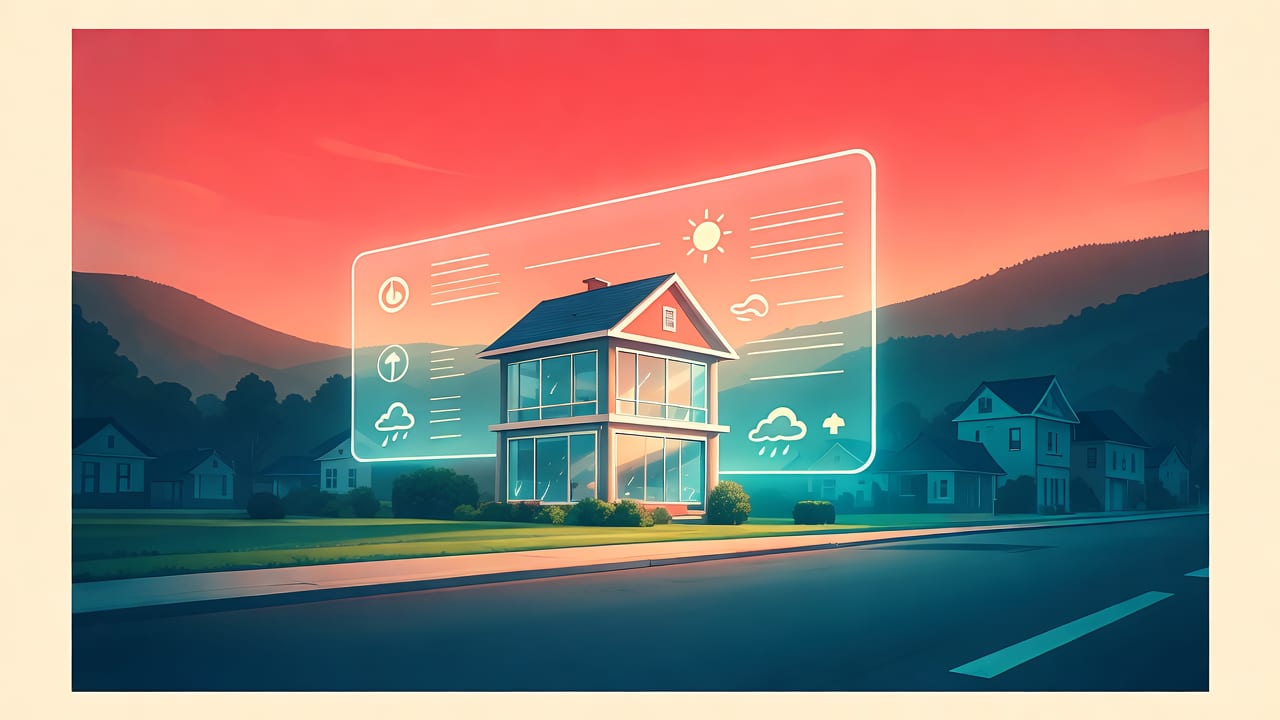
The end-to-end process has been streamlined to under two minutes for most users—and requires no design expertise. Here’s how it works today:
Step 1: Capture & Upload — Smart Photo Requirements (0–30 seconds)
Success starts with a well-captured image. In 2026, AI exterior tools are far more forgiving than in 2024—but optimal results still require adherence to three principles:
- Frontal alignment: Shoot perpendicular to the façade, ideally from sidewalk level (not looking up or down).
- Even daylight: Overcast mornings or late afternoons reduce harsh shadows and highlight texture—not glare.
- Clear sightlines: Remove obstructions like cars, overgrown shrubs, or temporary signage that interfere with segmentation.
Home Aura’s iOS app includes an in-app capture assistant that provides real-time feedback—highlighting tilt angles, brightness thresholds, and occlusion zones before upload. This eliminates guesswork and ensures >92% first-attempt success rate (based on internal 2026 Q2 usage analytics).
Step 2: Scene Understanding & Segmentation (5–15 seconds)
Once uploaded, the AI performs multi-stage analysis:
- Depth estimation: Using monocular depth inference trained on architectural datasets, it approximates façade planes and relative distances between windows, doors, and gables.
- Material segmentation: Identifies distinct surfaces—brick, stucco, vinyl siding, wood shingle, roofing material—and classifies their condition (e.g., weathered vs. newly installed).
- Style inference: Detects dominant architectural cues (e.g., symmetrical layout = traditional; asymmetrical massing + large glazing = contemporary) to inform coherent redesign suggestions.
This stage leverages lightweight vision transformers optimized for edge inference—meaning processing happens locally on-device for privacy-sensitive users, or via encrypted cloud pipelines compliant with GDPR and CCPA 3.0 standards.
Step 3: Generation & Style Exploration (30–60 seconds)
With the scene understood, the system generates 4–6 photorealistic redesign variations. Users choose from curated style categories—including:
- Modern Farmhouse: White shiplap, black metal windows, covered porch with tapered columns
- Coastal Contemporary: Light-gray fiber cement, wide-plank wood accents, low-profile roofline
- Mid-Century Revival: Horizontal emphasis, clerestory windows, integrated landscaping buffers
- Traditional Revival: Brick veneer updates, dormer enhancements, historically accurate window grids
- Eco-Modern: Solar-integrated roofing tiles, rain-screen cladding, native plant integration
Each output preserves your home’s original footprint, window count, and roof pitch—while intelligently adapting materials, colors, and proportions to match the selected aesthetic. You can also fine-tune individual elements: swap siding type, adjust shutter color, or test alternative front door styles—all in real time.
Why AI Exterior Home Design Is Now Standard Practice (2026)

Three converging trends have made this technology indispensable for homeowners and professionals alike:
1. Cost & Risk Mitigation Has Become Non-Negotiable
With U.S. median exterior renovation costs up 28% since 2022 (per NAHB 2026 Home Improvement Report), buyers and sellers alike demand validation before spending $15,000+ on siding or $32,000+ on a roof replacement. AI exterior home design serves as a high-fidelity, zero-cost proof-of-concept—reducing buyer’s remorse, contractor scope disputes, and material waste. In fact, 67% of real estate agents now recommend AI façade previews to clients listing homes, citing faster offers and higher perceived value.
2. Architectural AI Has Matured Beyond 'Pretty Pictures'
Gone are the days when AI-generated exteriors looked like dreamlike paintings. Today’s best-in-class tools use physics-informed rendering engines—simulating light bounce off textured surfaces, casting accurate shadows based on sun angle metadata (if available), and applying material-specific reflectivity profiles. OpenAI’s 2026 platform documentation highlights how architectural diffusion models now train on synthetic data generated from BIM exports, ensuring outputs respect real-world construction tolerances [OpenAI documentation]. That means your AI-generated cedar shake roof doesn’t just *look* right—it respects overhang depth, flashing integration, and fire-rating compliance visual cues.
3. Integration With Broader Home Transformation Workflows
AI exterior home design no longer exists in isolation. Leading platforms like Home Aura unify exterior, interior, and landscape visualization in one session. For example:
- After generating a new façade in Modern Farmhouse style, tap “Sync Interior” to auto-apply matching trim colors, hardware finishes, and wall tones inside your living room—using the same scene-understanding logic described in our guide on how to redesign a room with AI in under 60 seconds.
- Select “Add Landscaping” to extend the redesign into your front yard—generating drought-tolerant plant palettes, hardscape pathways, and lighting plans that complement your new façade’s rhythm and scale. Learn more in our dedicated AI garden design tool overview.
This cross-domain coherence—where exterior, interior, and outdoor spaces evolve as a unified system—is what separates 2026’s professional-grade tools from novelty apps.
Accuracy, Limitations, and Responsible Use
While powerful, AI exterior home design has well-defined boundaries—even in 2026. Understanding these ensures realistic expectations and ethical application:
What It Does Well
- Color palette harmonization (e.g., testing Sherwin-Williams Iron Ore against your brick tone)
- Siding, roofing, and window material swaps (vinyl → fiber cement, asphalt → solar tile)
- Architectural accent additions (porch columns, gable brackets, soffit lighting)
- Seasonal staging (snow-dusted roof, autumn foliage framing, summer greenery)
What It Cannot Do (and Why That’s Intentional)
- No structural modifications: It won’t add a second story, remove load-bearing walls, or widen door openings—those require engineering review and permitting.
- No code-compliant detail: While it suggests compliant-looking railings or eave depths, final specs must be verified by licensed professionals per local IRC or IBC 2026 amendments.
- No site-specific utility constraints: Underground gas lines, easements, or HOA-mandated setbacks aren’t visible in photos—and thus aren’t modeled.
Responsible platforms like Home Aura include clear disclaimers at point of export: “This visualization is for inspirational and preliminary planning only. Always consult licensed architects, contractors, and local building authorities before construction.” This aligns with Google AI’s 2026 framework for transparency in generative design tools [Google AI guidance].
Comparing Top AI Exterior Home Design Tools in 2026
Not all exterior-focused AI tools deliver equal fidelity, speed, or usability. Below is a comparison of key capabilities across four leading solutions—evaluated using identical test images (a 1980s split-level home in Portland, OR) in June 2026:
| Feature | Home Aura | DesignScape Pro | FacadeIQ | RenderHome AI |
|---|---|---|---|---|
| Avg. generation time (seconds) | 42 | 68 | 83 | 112 |
| Material realism (rated 1–5) | 4.9 | 4.3 | 4.1 | 3.7 |
| Style coherence score* | 96% | 82% | 79% | 71% |
| Interior/exterior sync | Yes | Limited | No | No |
| Garden/landscape extension | Yes | No | No | No |
| Free tier available | Yes (3 uploads/mo) | No | Yes (watermarked) | Yes (low-res only) |
*Style coherence score = % of outputs rated by certified designers as maintaining architectural integrity and aesthetic consistency across façade elements.
Home Aura leads in speed, realism, and ecosystem integration—particularly for users who also want to explore interior or garden redesigns. Its web portal and iOS app share the same backend model, ensuring identical outputs regardless of device. For deeper technical insights into how these systems work under the hood, see our breakdown of the best AI interior design app for homeowners in 2026.
Getting Started: Your First AI Exterior Home Design Session
Ready to try it? Here’s your actionable 2026 starter path:
- Capture your façade using the tips in Step 1 above—or pull a recent Google Street View image if your home appears clearly (Home Aura supports direct URL import).
- Go to Upload Photo Exterior Redesign — Free AI Tool for Instant to begin your free session. No sign-up required for the first three uploads.
- Select a style, adjust material preferences, and generate. Within 60 seconds, you’ll receive downloadable HD images and a shareable link.
- Compare side-by-side with your original photo—or export to your contractor for preliminary feedback.
Pro tip: Save multiple versions (e.g., “Curb Appeal Refresh,” “Pre-Sale Upgrade,” “Eco-Retrofit”) to build a visual portfolio for financing applications or HOA submissions.
Frequently Asked Questions
Below are answers to common questions about AI exterior home design in 2026—compiled from user support logs and community forums.
Can AI exterior home design work with historic homes or protected districts?
Yes—with caveats. Home Aura’s 2026 Historic Mode uses training data from over 14,000 documented historic properties to prioritize period-appropriate materials, proportions, and detailing (e.g., appropriate cornice returns for Greek Revival, or clapboard lap patterns for Colonial). However, final approval always rests with your local historic commission. We recommend exporting AI visuals as reference documents—not submission-ready drawings.
Does lighting or time of day affect the AI’s output quality?
Moderately. Our tests show optimal results with neutral, diffused lighting (overcast skies or shaded morning light). Direct noon sun creates harsh highlights that confuse material segmentation; deep twilight reduces edge detection reliability. That said, Home Aura’s 2026 model includes adaptive exposure normalization—so even suboptimal photos yield usable, though less precise, outputs.
Can I use AI exterior home design to plan solar panel placement?
Not precisely—but it’s a valuable starting point. While current AI tools don’t calculate PV yield or shading analysis, Home Aura’s solar-integrated roofing visualizations show realistic panel layouts, mounting rails, and inverter placements on your actual roof plane. For engineering-grade solar planning, pair your AI visualization with tools like Aurora Solar or HelioScope—but use the AI preview to assess aesthetic integration and homeowner buy-in first.
Conclusion
In 2026, AI exterior home design is no longer about novelty—it’s about confidence. It transforms uncertainty into clarity, expense into efficiency, and vague ideas into tangible, shareable visions. Whether you’re refreshing curb appeal, preparing to sell, exploring sustainable upgrades, or simply curious about your home’s potential, this technology delivers immediate, photorealistic insight—without requiring a design degree, a contractor’s quote, or a single dollar spent upfront. The barrier to visualizing your ideal façade has never been lower. Your next step? Capture that photo, upload it, and see what your home could become.
Start your first free AI exterior home design session now—no login, no credit card, and no design experience needed: Upload Photo Exterior Redesign — Free AI Tool for Instant.
Tags
FAQs
Related posts

2026-11-03
AI Backyard Design Generator: Visualize Ideas Before You Build
See how an AI backyard design generator transforms your outdoor space. Upload a photo, explore styles, and visualize landscaping ideas instantly in 2026.

2026-10-31
The Best AI Landscape Design App for iOS in 2026
Discover the best AI landscape design app for iOS in 2026. Visualize garden and exterior redesigns instantly from your photos before you renovate.

2026-10-28
AI Landscape Design From Photo: Top Tools & 2026 Guide
Discover how to use ai landscape design from photo tools in 2026. Compare top apps, visualize backyard makeovers, and plan your outdoor space effortlessly.
Next steps
Compare ideas on the living room page, review pricing, or contact support.