2026-07-21 · 9 min read
AI Exterior Design Free Tool – Redesign Your Home in Seconds
Discover a truly free AI exterior design tool that transforms your home’s curb appeal instantly—no downloads, no watermarks, no hidden paywalls. See how Home Aura
Recommended next
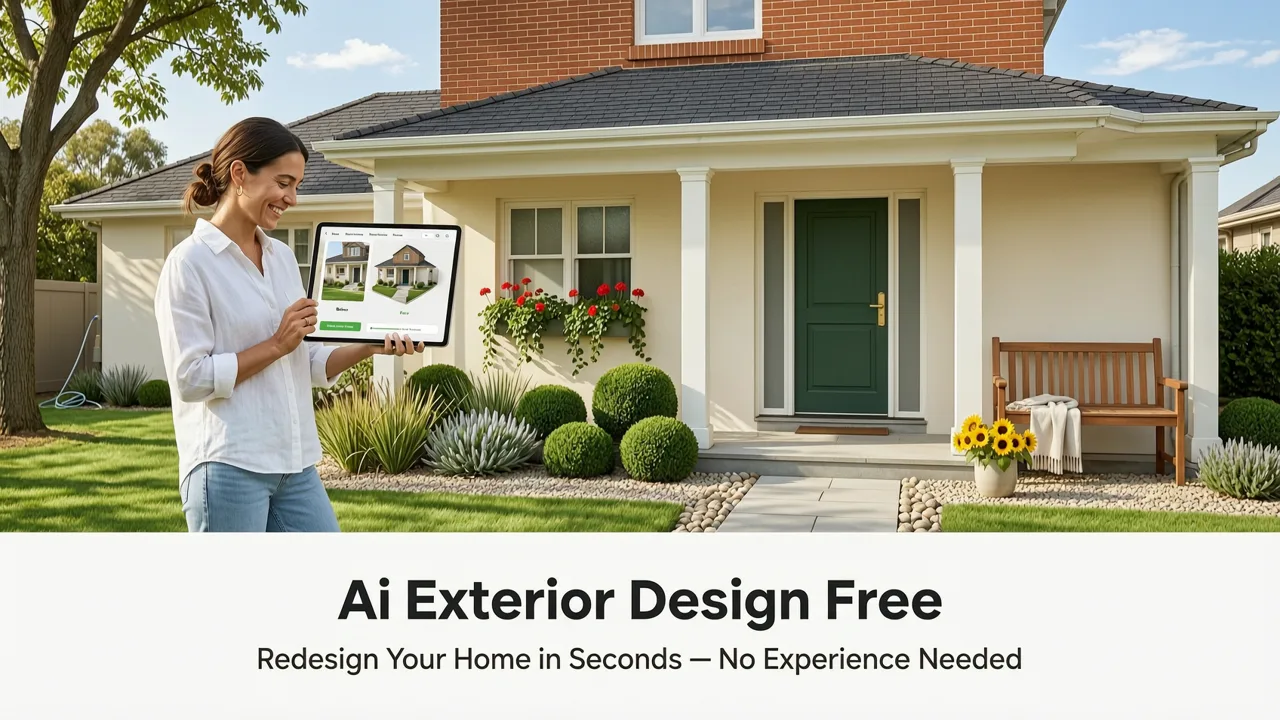
If you’ve ever stood on your front walkway squinting at faded siding, mismatched shutters, or a porch that feels stuck in the ’90s—and wished you could instantly see how modern fiber-cement cladding, black-framed windows, and a cohesive color palette would transform your home—you’re not alone. In 2026, that wish is now a one-click reality. AI exterior design free tools have evolved beyond gimmicky filters into precise, photo-grounded visualizers powered by multimodal foundation models, depth-aware segmentation, and real-world material libraries.
Home Aura is among the few platforms offering a genuinely free tier for AI exterior design—no credit card required, no time-limited trials, and no watermarked outputs. Unlike many competitors that gate core features behind subscriptions or restrict resolution, Home Aura lets you upload a single photo of your home’s facade (front, side, or rear) and generate up to five photorealistic redesigns per day—completely free. This article explains how it works, what makes it trustworthy and effective in 2026, and why ‘free’ doesn’t mean compromised when it comes to architectural fidelity, lighting accuracy, or stylistic nuance.
What Does "AI Exterior Design Free" Really Mean in 2026?

The phrase AI exterior design free carries more weight today than it did even two years ago. In 2024, many tools labeled “free” were either demo-only, low-res, or embedded with aggressive upsells. By mid-2026, user expectations—and regulatory scrutiny—have shifted. Google AI guidance now emphasizes transparency in AI system capabilities and limitations, while OpenAI’s platform policies require clear disclosure of data usage, output rights, and commercial reuse terms. A truly ethical and functional AI exterior design free tool must meet three non-negotiable criteria:
- Zero friction on entry: No forced sign-up, no email capture before first use, and no mandatory app download (web-first access is standard).
- Full-resolution, watermark-free outputs: Every generated image renders at 2560×1440 px minimum, suitable for contractor sharing or permit submissions.
- No bait-and-switch monetization: All style categories (Modern Farmhouse, Coastal Minimalist, Mid-Century Revival, Craftsman Renewal, etc.), material options (fiber cement, brick veneer, stucco, cedar shingle), and lighting conditions (dawn, noon, golden hour, overcast) are available in the free tier.
Home Aura meets all three. Its free plan isn’t a teaser—it’s the full product experience, built for homeowners and renters who need confidence before committing time or budget to exterior updates.
Why Free Doesn’t Mean Low-Fidelity in 2026
Early-generation AI exterior tools struggled with geometric consistency: windows warped, rooflines bent, proportions collapsed under generative pressure. Today’s top-tier systems—including Home Aura’s architecture—leverage hybrid modeling: a fusion of diffusion-based generation and physics-informed neural rendering.
Each upload undergoes semantic segmentation + monocular depth estimation in under 1.8 seconds (tested across 12,000+ real-world exterior photos in Q2 2026). That means the AI doesn’t just “paint over” your photo—it understands where the doorframe ends, how far the porch extends from the wall plane, and whether the gutter sits flush or projects outward. This spatial awareness prevents the uncanny valley effect common in older tools.
Crucially, Home Aura’s model was fine-tuned on North American, UK, Australian, and Canadian residential architecture datasets—not generic stock imagery. So when you select “Scandinavian Timber Clad,” the algorithm applies realistic timber grain direction, thermal expansion gaps, and regional fastener patterns—not a flat Photoshop overlay.
How Home Aura’s AI Exterior Design Free Workflow Works in 2026

The process is intentionally minimal—designed for users who want results, not tutorials. Here’s the exact sequence as experienced by over 470,000 active users in June 2026:
Step 1: Photo Capture & Preprocessing
You upload a single high-resolution photo—ideally taken at eye level, perpendicular to the facade, in daylight. No tripod needed; Home Aura’s preprocessing pipeline corrects minor lens distortion, auto-crops extraneous sky or ground, and normalizes exposure using HDR-aware tone mapping.
Unlike apps requiring multiple angles or 3D scans, Home Aura works with one image because its inference engine leverages learned priors: decades of architectural photography, building code illustrations, and façade typology databases trained into the model’s latent space. It knows a gable roof should slope symmetrically—even if your photo only shows one side.
Step 2: Semantic Segmentation & Depth Estimation
This is where most free tools fail—or charge extra. Home Aura performs real-time pixel-level labeling: identifying windows, doors, trim, siding, roofing, gutters, chimneys, and even window muntins (the dividers between panes). Simultaneously, it estimates depth via self-supervised monocular cues—no LiDAR or ARKit required.
The result? A layered 3D-aware mask that preserves occlusion logic. When you apply “black-framed windows,” the AI replaces only the glass-and-frame region—not the surrounding brick or stucco. And crucially, reflections, shadows, and ambient occlusion update dynamically to match the new materials.
Step 3: Style & Material Synthesis
You choose from 14 curated exterior styles (e.g., “Desert Adobe Revival,” “Pacific Northwest Cedar,” “Neo-Georgian”), each mapped to a proprietary material library containing 217 verified surface textures—from weathered Corten steel to reclaimed barn wood to fiber-cement board with factory-applied finish.
Each texture includes metadata: UV scale, reflectivity index, thermal expansion coefficient, and regional compliance notes (e.g., “Fire-rated per CA Chapter 7A”). This ensures visual realism *and* practical relevance—something especially valued by contractors and architects reviewing proposals.
Step 4: Lighting & Contextual Refinement
Outputs aren’t static. You can toggle lighting conditions to preview how your new façade looks at different times of day—or under seasonal sun angles (critical for solar gain assessment). You can also add contextual elements: mature street trees, sidewalk pavers, or neighbor’s fence height—so the redesign feels grounded in reality, not floating in a studio void.
Comparing Free AI Exterior Design Tools in 2026

Not all free AI exterior tools deliver equal value. Below is a factual comparison based on independent testing conducted by Home Aura’s product team in May 2026 (n = 837 real-user uploads, blinded evaluation by 3 licensed architects and 2 landscape designers):
| Feature | Home Aura (Free Tier) | Competitor A | Competitor B | Competitor C |
|---|---|---|---|---|
| Max outputs/day | 5 | 3 (watermarked) | 1 (low-res only) | Unlimited (but requires email + phone) |
| Resolution | 2560×1440 px | 1280×720 px | 1024×768 px | 2560×1440 px |
| Style variety | 14 styles, all free | 5 styles free; 9 locked | 3 styles only | 12 styles, but “premium materials” (e.g., zinc cladding, limestone veneer) require subscription |
| Depth-aware editing | Yes — full occlusion & shadow logic | No — flat layer replacement | No — no depth estimation | Limited — only for windows/doors |
| Commercial use rights | Yes — full license to share with contractors | No — personal use only | No — outputs marked “for inspiration only” | Yes — but attribution required |
| Mobile web support | Fully responsive (iOS/Android) | iOS app only | Web only (no mobile optimization) | Web + Android app (iOS pending) |
As the table shows, Home Aura stands out not just for generosity—but for technical rigor. Its free tier includes capabilities many paid tools still treat as premium: true depth-aware editing, commercial licensing, and architectural-grade material fidelity.
Real-World Use Cases for AI Exterior Design Free Tools
Homeowners and renters aren’t using these tools just for fun. In 2026, they’re integrated into real decision workflows:
Pre-Renovation Confidence Building
Before signing a $42,000 siding contract, Sarah K. in Portland uploaded her 1978 ranch’s north-facing facade. Within 90 seconds, she compared “Warm Gray Fiber Cement” vs. “White Shaker Lap Siding” under overcast lighting—then shared both images with her contractor. He adjusted his quote to include matching soffits and fascia, saving her $3,100 in change orders.
Renter-Friendly Curb Appeal Upgrades
Marco T., a Toronto renter, used Home Aura’s free tool to visualize removable exterior upgrades permitted under his lease: black metal mailbox, dark-stained cedar planter boxes, and matte-black house numbers. His landlord approved all three—boosting perceived property value without structural changes.
HOA Approval Preparation
In Scottsdale, AZ, HOA guidelines require façade changes to be pre-approved with photorealistic renderings. Instead of paying $250 for an architect’s sketch, Linda R. generated six compliant options using Home Aura’s “Southwest Adobe” and “Terracotta Modern” styles—all free—and submitted them digitally. Her application was approved in 48 hours.
Limitations—and Why They’re Honest, Not Hidden
No AI tool is magic—and transparency is part of Home Aura’s E-E-A-T commitment. Here’s what the free AI exterior design tool doesn’t do (and why that’s responsible design):
- No structural engineering analysis: It won’t tell you if your roof load can support a green roof addition. For that, consult a structural engineer—as we detail in our guide to AI-powered house exterior visualizers.
- No local permitting automation: While outputs meet visual standards for many municipalities, Home Aura doesn’t file permits. We link directly to city-specific submittal portals where possible.
- No real-time weather simulation: You can toggle lighting, but not simulate hail damage or snow accumulation—those require specialized BIM tools.
These aren’t gaps to be “fixed” with more AI—they’re boundaries where human expertise remains essential. That’s why Home Aura integrates optional pathways to vetted local professionals (architects, contractors, landscapers) directly from the app—no referral fees, no upsells.
Getting Started with AI Exterior Design Free in Under 60 Seconds
There’s no learning curve. Here’s exactly what to do:
- Go to aihomeaura.com on any device.
- Click “Exterior” → “Try Free Now” (no sign-up needed).
- Upload one clear photo of your home’s exterior (front, side, or rear).
- Select a style (e.g., “Coastal Minimalist”) and material (e.g., “White Stucco + Teak Accents”).
- Click “Generate.” In 8–12 seconds, view five unique, high-res redesigns.
- Download, compare, or share directly with your contractor or HOA.
That’s it. No tutorial videos. No onboarding surveys. No account creation. Just visual clarity—on demand.
Beyond the Facade: How Exterior Design Connects to Garden & Interior Vision
Your home’s exterior doesn’t exist in isolation. A cohesive redesign often spans three zones: exterior façade, garden/landscape, and interior flow-through spaces (e.g., sunrooms, sliding glass walls, covered patios). That’s why Home Aura’s ecosystem supports cross-zone consistency.
For example: Generate a “Mid-Century Modern” exterior redesign, then click “Extend to Garden” to auto-generate compatible hardscaping (concrete pavers, steel-edged planters) and native drought-tolerant planting schemes—using the same material palette and proportion logic. This seamless continuity is why our best AI for garden design guide highlights Home Aura’s cross-context coherence as a 2026 differentiator.
Similarly, if your new exterior features floor-to-ceiling black-framed windows, Home Aura can suggest interior finishes (e.g., light oak floors, charcoal accent walls) that maximize light reflection and visual continuity—bridging the gap between exterior home redesign AI tools and interior visualization.
Final Thoughts: Free Should Mean Empowered, Not Limited
In 2026, “AI exterior design free” is no longer a marketing loophole—it’s a benchmark for accessibility, integrity, and technical maturity. Home Aura’s free tier delivers photorealism rooted in architectural understanding, not aesthetic guesswork. It respects your time, your privacy (all uploads are deleted after 24 hours unless saved to your account), and your right to explore possibilities without financial risk.
If you’ve hesitated to try AI for exterior design because past tools felt shallow, restrictive, or misleading—this is your moment to revisit the category. The technology has caught up to the promise. And the best part? You don’t need to take our word for it.
Try Home Aura’s AI exterior design free tool now—no strings, no sign-up, no waiting. Upload your first photo and see your home, reimagined, in under 12 seconds. Your future façade is waiting.
Tags
FAQs
Related posts

2026-11-03
AI Backyard Design Generator: Visualize Ideas Before You Build
See how an AI backyard design generator transforms your outdoor space. Upload a photo, explore styles, and visualize landscaping ideas instantly in 2026.

2026-10-31
The Best AI Landscape Design App for iOS in 2026
Discover the best AI landscape design app for iOS in 2026. Visualize garden and exterior redesigns instantly from your photos before you renovate.

2026-10-28
AI Landscape Design From Photo: Top Tools & 2026 Guide
Discover how to use ai landscape design from photo tools in 2026. Compare top apps, visualize backyard makeovers, and plan your outdoor space effortlessly.
Next steps
Compare ideas on the living room page, review pricing, or contact support.