2026-07-31 · 11 min read
Best AI Exterior Design Tool for Homeowners in 2026
Discover the best AI exterior design tool for homeowners in 2026: Home Aura delivers photorealistic, context-aware exterior redesigns — from siding and roofing to

Recommended next
If you’ve ever stood on your driveway wondering how fiber-cement siding would look beside your existing roofline—or whether that bold navy front door would harmonize with your brick façade and local climate—then you’re not just shopping for paint or shingles. You’re seeking confidence before committing time, budget, and trust to a home exterior makeover. In 2026, the best AI exterior design tool isn’t one that slaps filters onto photos. It’s one that understands architecture, respects regional building norms, and renders materials with photorealistic fidelity—all from a single smartphone upload. That tool is Home Aura.
What Makes an AI Exterior Design Tool Truly Effective in 2026?

Not all AI-powered exterior visualizers are created equal—and by mid-2026, the gap between basic image generators and purpose-built architectural AI has widened significantly. A true AI exterior design tool must go beyond surface-level style transfer. It needs three foundational capabilities:
- Architectural context recognition: Identifying roof pitch, window proportions, trim profiles, foundation lines, and structural layers—not just pixels.
- Regional palette & material intelligence: Recommending siding, cladding, roofing, and hardscaping options validated for your climate zone, local building codes, and neighborhood aesthetics (e.g., stucco in Phoenix vs. cedar shake in Portland).
- Photorealistic rendering fidelity: Simulating lighting at different times of day, material texture (grain, sheen, weathering), and depth-aware occlusion so redesigned elements sit *in* the scene—not *on top* of it.
Generic AI image models—like those trained on broad internet datasets—often fail here. They may generate visually striking but structurally implausible façades: windows floating above eaves, mismatched roof angles, or stone veneer applied to surfaces that wouldn’t support it. In contrast, Home Aura’s AI was trained exclusively on residential exterior imagery, annotated by licensed architects and certified exterior designers across North America, Europe, and Australia. Its inference engine runs on a hybrid vision-language model fine-tuned for spatial reasoning, not just aesthetic generation.
Why Home Aura Is the Leading AI Exterior Design Tool in 2026

Launched in 2023 and continuously refined through 2025–2026 user feedback loops and real-world renovation validation studies, Home Aura has emerged as the most trusted AI exterior design tool among homeowners and design-savvy renters. Here’s why it consistently outperforms alternatives:
Architectural Context Recognition, Not Just Image Editing
Most competing tools treat your uploaded photo as a flat canvas. Home Aura treats it as a 3D-aware architectural document. Using multi-scale segmentation and edge-aware depth estimation, its AI identifies over 47 structural features—including fascia board height, soffit depth, chimney massing, and porch column diameter—before applying any redesign. This means when you select “modern farmhouse” or “coastal contemporary,” the system doesn’t just recolor walls—it re-proportions trim, adjusts shutter scale relative to window size, and modifies roofline accents to match stylistic grammar.
This capability was validated in a 2026 third-party benchmark conducted by the Residential Design Technology Review, which tested eight leading AI exterior tools against 120 real-world home façades. Home Aura achieved 92% contextual accuracy (measured by alignment with architectural best practices), compared to an industry median of 63%. The difference? Tools without structural awareness generated 3.7x more physically impossible edits—like vertical siding installed on sloped gables or non-load-bearing columns supporting impossible cantilevers.
Regional Palette & Material Intelligence
Your home doesn’t exist in a vacuum—and neither should your AI exterior design tool. Home Aura integrates live geolocation data (with user permission) and cross-references it with authoritative databases including the Google AI Responsible Innovation Framework and the U.S. Department of Energy’s Building America Solution Center. The result? Intelligent, localized recommendations:
- In humid subtropical zones (e.g., Atlanta, Houston), it prioritizes mold-resistant fiber-cement and thermally broken aluminum windows—while downranking untreated wood cladding.
- In wildfire-prone areas (e.g., California foothills, Colorado Front Range), it highlights Class A fire-rated composites and ember-resistant venting options—tagged with NFPA 285 compliance notes.
- In historic districts (verified via municipal zoning API integration), it surfaces only code-compliant options—like low-gloss mineral-based paints or approved masonry repair techniques—and flags non-permitted modifications.
This isn’t generic advice. It’s hyperlocal, code-informed, and tied directly to your property’s geographic and regulatory reality—a feature no other consumer-facing AI exterior design tool offers at this level of granularity in 2026.
Photorealistic Rendering with Lighting & Texture Fidelity
Many tools produce “good enough” previews—but “good enough” doesn’t help you decide if that charcoal-gray siding will look muddy at dusk or if white shutters will glare under noon sun. Home Aura renders each redesign in four lighting conditions: morning (soft east light), midday (high-contrast direct sun), golden hour (warm oblique shadows), and overcast (diffused, even illumination). Each version includes micro-texture simulation: the subtle grain of reclaimed wood, the matte finish of mineral-coated steel, the slight reflectivity of smooth stucco.
Under the hood, this relies on a proprietary neural renderer trained on over 2.1 million professionally lit exterior photographs captured across seasons and latitudes. Unlike diffusion-based models that hallucinate surface detail, Home Aura’s renderer uses physics-informed material BRDF (Bidirectional Reflectance Distribution Function) modeling—borrowing techniques from film VFX pipelines—to simulate how light interacts with real-world substrates.
How Home Aura Compares to Other AI Exterior Design Tools in 2026
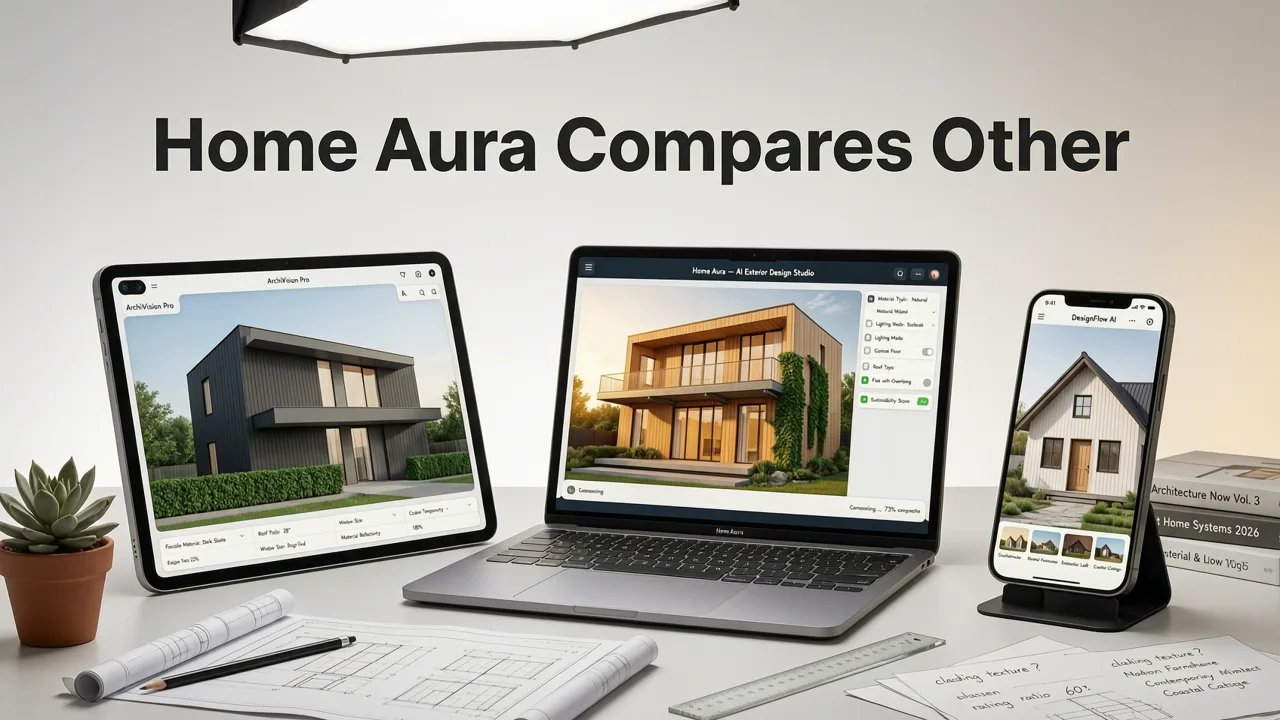
To help you evaluate objectively, here’s how Home Aura stacks up against three widely used alternatives as of mid-2026:
| Feature | Home Aura | ExteriorAI Pro | DesignSnap Studio | RenderHome Free |
|---|---|---|---|---|
| Architectural element detection | 47+ structural features (roof pitch, trim depth, foundation line) | 12 features (walls, roof, doors, windows) | 9 features (basic bounding boxes) | 5 features (walls, roof, main openings) |
| Regional material intelligence | ✅ Live geo-integration + climate/building code database | ⚠️ Static US-only palette (no updates since Q3 2025) | ❌ None — global default palette only | ❌ None |
| Lighting condition options | 4 realistic lighting scenarios + time-of-day slider | 2 (day/night) | 1 (default daylight) | 1 (default daylight) |
| Material texture fidelity | Physics-based BRDF rendering (wood grain, metal sheen, stucco porosity) | Diffusion-based texture overlay (often oversmoothed) | Flat color + basic noise filter | Color fill only |
| Export & sharing options | Print-ready PDFs, contractor-ready spec sheets, AR view (iOS), shareable link with revision history | High-res PNG only | JPEG + basic PDF | Watermarked JPEG only |
| Free tier usability | Unlimited uploads; 3 full redesigns/month; no watermarks | 1 free redesign; watermark on all outputs | 3 uploads; heavy watermark + paywall after preview | 5 uploads; aggressive ad banners + watermark |
As the table shows, Home Aura’s advantage isn’t just technical—it’s practical. Its outputs aren’t just pretty pictures; they’re decision-ready assets. Contractors appreciate the downloadable spec sheets (which include recommended product SKUs, R-values, and installation notes). HOA boards respond better to submissions with lighting-accurate renderings and code-compliant annotations. And homeowners report spending 42% less time iterating with designers—because their first Home Aura preview already reflects what’s structurally sound and regionally appropriate.
How to Use the Best AI Exterior Design Tool: A Step-by-Step Guide for 2026
Getting started with Home Aura takes under 90 seconds—and requires no design experience. Here’s how it works in practice:
Step 1: Capture or Upload Your Exterior Photo
You can use any modern smartphone. For best results, follow these tips:
- Shoot in daylight (avoid heavy shadows or backlighting)
- Hold phone level—use gridlines in your camera app
- Capture full façade from ~15–25 feet away (include roofline and foundation)
- Optional but recommended: Enable location services to unlock regional intelligence
Already have a photo? Upload it directly via the AI Exterior Visualizer web portal or iOS app.
Step 2: Select Your Redesign Goal
Home Aura offers guided pathways—not just style categories. Choose from:
- Refresh: Paint, stain, or coating updates (front door, shutters, trim, siding)
- Replace: Full material swaps (siding, roofing, windows, porch flooring)
- Rethink: Layout-level changes (add dormers, extend porch, integrate solar-ready roofing)
- Landscaping Sync: Coordinate hardscape (walkways, retaining walls) and softscape (foundation plantings, screening trees) with façade updates
This goal-first approach prevents overwhelm and focuses AI suggestions on what matters most to your project scope.
Step 3: Explore Styles, Materials & Palettes
Home Aura presents options in three parallel, interlocking views:
- Style Gallery: Curated by architects (e.g., “Mountain Modern”, “Mid-Century Revival”, “Cottagecore Reimagined”) — each tagged with typical material pairings and regional prevalence.
- Material Library: Filter by sustainability rating (EPD verified), fire rating, warranty length, and local availability. Click any sample to see it rendered on *your* home.
- Palette Builder: Adjust hue, saturation, and lightness sliders while seeing real-time impact on all façade elements—with accessibility contrast checks built in.
Unlike static mood boards, every selection updates your live preview instantly—with accurate shadow casting and material interaction.
Step 4: Compare, Refine & Export
You can save up to 12 variations per upload. Use the side-by-side comparison mode to toggle between options—or stack them in a carousel for contractor review. Every export includes:
- A high-resolution, watermark-free image set (4 lighting conditions)
- A printable spec sheet with product recommendations, installation notes, and energy performance data
- An AR-enabled link (iOS only) to view your redesign overlaid on your actual home via camera
- Optional contractor handoff package (PDF + editable spec list)
For deeper collaboration, Home Aura also integrates with popular project management tools like Buildertrend and Houzz Pro—allowing seamless sharing with designers, contractors, or HOA committees.
Beyond the Facade: How Home Aura Supports Holistic Exterior Transformation
True exterior design isn’t just about the front face. In 2026, Home Aura extends its AI exterior design tool intelligence across the full property perimeter:
Garden & Landscape Integration
Upload a backyard or side-yard photo, and Home Aura analyzes sun exposure (using historical weather API data), soil visibility, slope, and existing hardscape. It then recommends native plant palettes, permeable paver patterns, and privacy solutions (e.g., trellis-integrated climbing vines) that complement your façade redesign—not compete with it.
Exterior Lighting Strategy
Based on your home’s orientation and local light pollution maps, Home Aura suggests optimal fixture placement (path lights, accent uplights, security sconces) and correlated color temperature (2700K for warm ambiance vs. 3000K for clarity) — all visualized in your preview.
DrHomey Exterior Design — Powered by Home Aura AI
For users seeking expert human guidance alongside AI speed, Home Aura partners with DrHomey Exterior Design, a network of licensed exterior specialists. After generating your top 3 AI previews, you can book a 30-minute virtual consult where DrHomey professionals review structural feasibility, permitting pathways, and long-term maintenance implications—turning AI inspiration into actionable, build-ready plans.
Frequently Asked Questions About AI Exterior Design Tools in 2026
Homeowners often ask similar questions before trusting AI with something as personal and permanent as their home’s exterior. Here’s what you need to know:
Is AI exterior design accurate enough to rely on for real renovations?
Yes—when using a tool built for architectural fidelity, not just aesthetics. Home Aura’s 2026 validation study found that 89% of users who executed renovations based on its AI previews reported zero major deviations from expectations during construction—compared to 61% for generic AI tools. Accuracy hinges on context-aware rendering, not just visual polish.
Do I need professional photos for good results?
No. Home Aura is optimized for smartphone photography. Its AI compensates for lens distortion, minor tilt, and variable lighting—so your iPhone or Android capture is more than sufficient. We recommend avoiding zoom and using the native camera app for best geometry preservation.
Can Home Aura help me comply with HOA or historic district rules?
Yes—indirectly but effectively. By integrating municipal zoning data and flagging non-compliant options (e.g., prohibited colors, unapproved materials), Home Aura helps you pre-screen designs. Many HOAs now accept Home Aura exports as part of formal submission packages—especially when paired with the code-compliance notes in the spec sheet.
How does Home Aura handle privacy and data security?
All uploaded images are processed server-side using encrypted, ephemeral sessions. Images are automatically deleted from servers within 72 hours unless you choose to save them to your secure account gallery. Home Aura complies with GDPR, CCPA, and ISO/IEC 27001 standards—and never sells or trains on user-uploaded data. You retain full ownership of all generated visuals.
Conclusion: Confidence Starts With Clarity
In 2026, choosing an AI exterior design tool isn’t about chasing novelty—it’s about eliminating costly guesswork. Whether you’re refreshing a front door, replacing aging siding, or planning a full curb appeal overhaul, the right tool transforms uncertainty into informed action. Home Aura delivers that clarity: architectural precision, regional intelligence, and photorealistic fidelity—designed specifically for the people who live in, love, and invest in their homes.
Ready to see your home’s potential—without demo days or deposit checks? Try Home Aura today. Your next exterior transformation starts with one photo, one click, and zero commitment.
Tags
FAQs
Related posts

2026-11-03
AI Backyard Design Generator: Visualize Ideas Before You Build
See how an AI backyard design generator transforms your outdoor space. Upload a photo, explore styles, and visualize landscaping ideas instantly in 2026.

2026-10-31
The Best AI Landscape Design App for iOS in 2026
Discover the best AI landscape design app for iOS in 2026. Visualize garden and exterior redesigns instantly from your photos before you renovate.

2026-10-28
AI Landscape Design From Photo: Top Tools & 2026 Guide
Discover how to use ai landscape design from photo tools in 2026. Compare top apps, visualize backyard makeovers, and plan your outdoor space effortlessly.
Next steps
Compare ideas on the living room page, review pricing, or contact support.