2026-07-26 · 11 min read
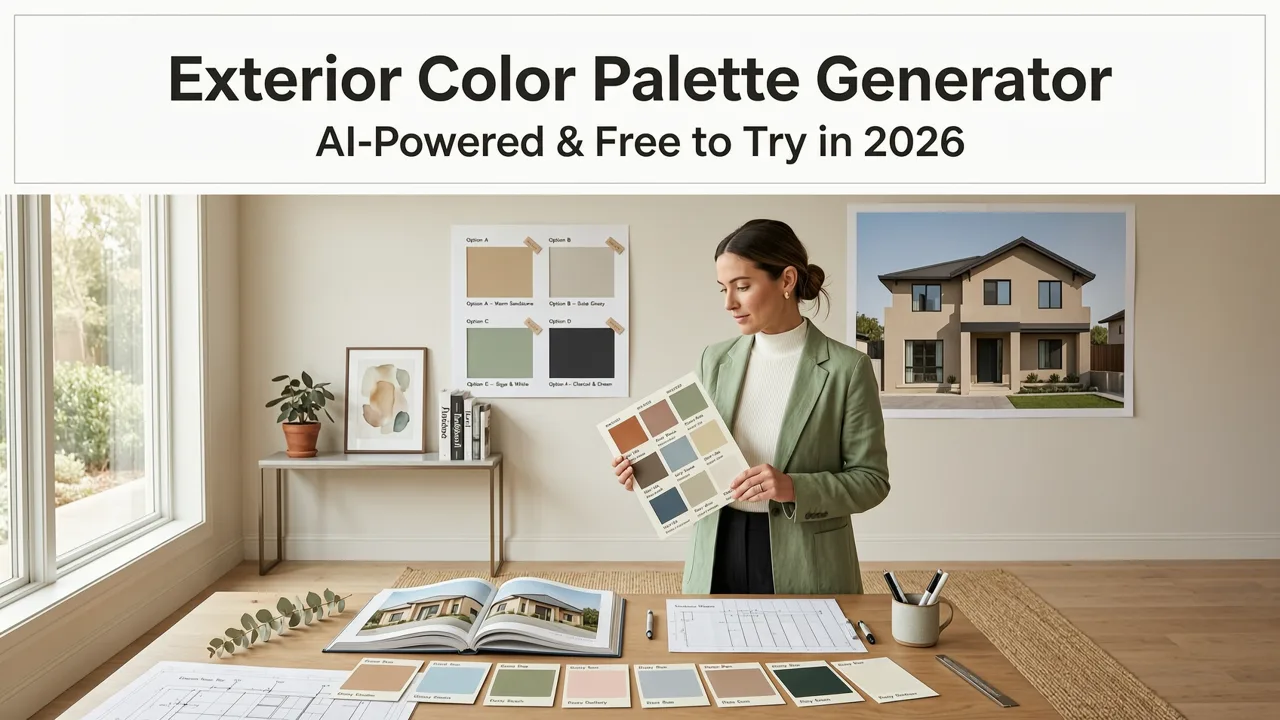
Exterior Color Palette Generator — AI-Powered & Free to Try in 2026
Discover Home Aura’s exterior color palette generator: upload your home photo and get AI-generated, context-aware paint, siding, and trim palettes—realistic,
Recommended next
If you’ve ever stood on your front walkway squinting at weathered siding, dated brick, or a front door that clashes with everything—and wondered exactly how sage green shutters would look against warm-toned stucco, or whether charcoal gray roofing would elevate your white clapboard—then you’re not just shopping for paint. You’re seeking confidence before committing time, budget, and emotional energy to an exterior refresh. In 2026, the best solution isn’t guesswork, mood boards, or swatch books under fluorescent lighting. It’s an exterior color palette generator powered by AI that understands your home’s architecture, lighting conditions, material textures, and regional climate cues—all from a single photo.
What Is an Exterior Color Palette Generator—and Why 2026 Is the Right Year to Use One
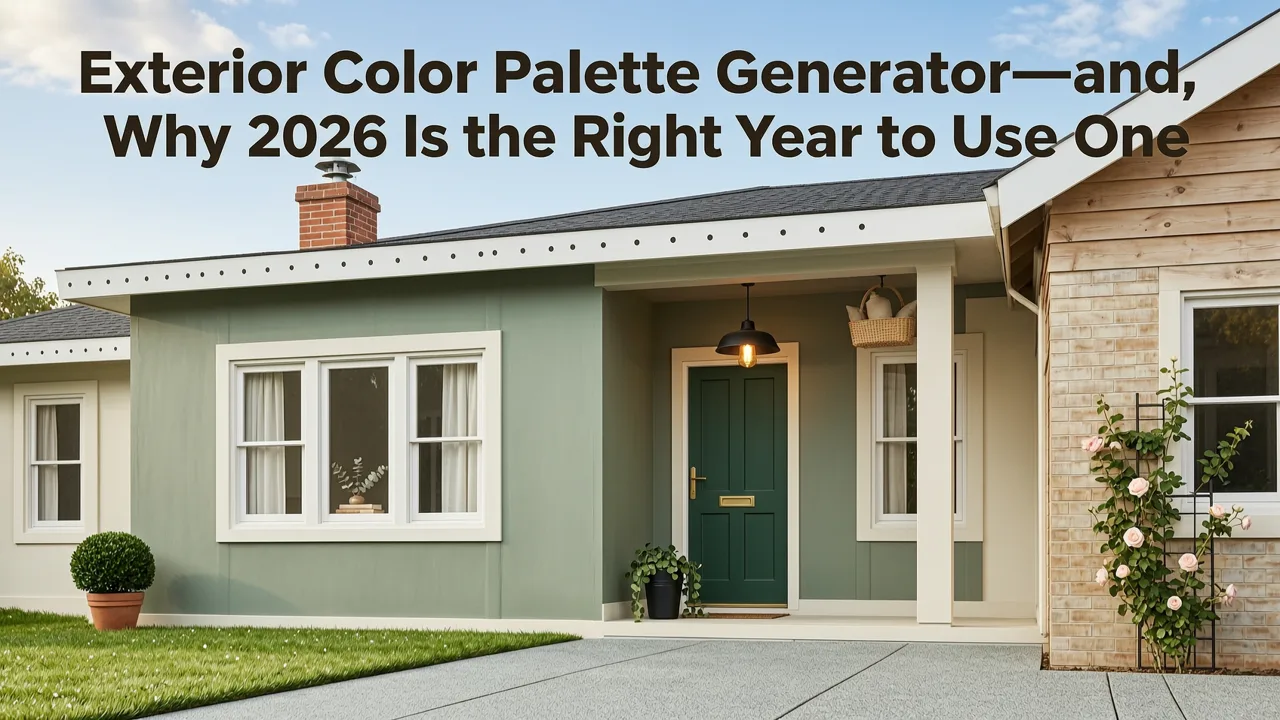
An exterior color palette generator is a specialized AI design tool that analyzes a real-world photo of your home’s façade (or garden perimeter, porch, or entryway) and produces harmonious, photorealistic color combinations for key architectural elements: main body, trim, doors, shutters, roofing, and even hardscape accents. Unlike generic color wheel tools or static hex-code suggestions, modern generators like Home Aura’s interpret spatial depth, shadow distribution, sun orientation, and material reflectivity—critical factors that determine how colors behave outdoors.
In 2026, this capability has matured beyond early-stage demos. Thanks to multimodal vision-language models trained on millions of annotated residential exteriors—and fine-tuned on regional aesthetics (e.g., coastal neutrals vs. Southwest adobe warmth vs. Midwest Craftsman earth tones)—today’s top-tier generators deliver palettes that are not only visually cohesive but also contextually intelligent. They account for UV resistance, heat absorption, and even local HOA guidelines when recommending finishes—features that weren’t viable in 2024 or even early 2025.
How Home Aura’s Exterior Color Palette Generator Works (2026 Edition)
Home Aura’s upload photo to redesign house exterior workflow powers its exterior color palette generator—and it’s built around three non-negotiable principles: photo-first fidelity, architectural awareness, and real-time rendering.
- Smart Capture Guidance (Before Upload): The app detects lighting quality, distance, and angle in real time. If your photo is backlit or too close to the wall, it prompts gentle repositioning—ensuring optimal input for AI analysis.
- Scene Understanding Engine (Under 8 Seconds): Using a lightweight vision transformer trained on 12M+ North American, UK, and Australian residential façades, it segments your home into zones: primary cladding, window frames, door surface, roof plane, foundation, and surrounding hardscape. Each zone is tagged for material type (fiber cement, brick, stucco, cedar, metal), age indicators (fading, chalking, efflorescence), and solar exposure level.
- Palette Synthesis Layer: This is where generative AI meets color science. Instead of sampling from preset libraries, Home Aura’s model cross-references your segmented zones with Pantone’s 2026 Exterior Trends Report, Sherwin-Williams’ Climate-Adapted Finish Database, and Benjamin Moore’s Light Reflectance Value (LRV) index. It then generates 3–5 full-spectrum palettes—each balancing contrast, harmony, and durability—rendered directly onto your uploaded image in photorealistic 3D lighting.
No more holding paint chips up to your garage door at noon and dusk. No more ordering $75 samples only to discover they look chalky in morning light. With Home Aura, you see exactly how Sherwin-Williams Sea Salt SW 6204 interacts with your existing stone veneer—and how it shifts across the day’s light cycle—before opening your wallet.
Exterior Color Palette Generator: Key Features That Set Home Aura Apart in 2026

Not all AI color tools are created equal. What separates Home Aura’s exterior color palette generator from basic browser-based alternatives—or outdated desktop software—is its integration of architectural intelligence, real-world constraints, and iterative personalization. Here’s what makes it uniquely fit for homeowners and renters navigating exterior decisions in 2026:
Architectural Style Recognition + Regional Palette Mapping
Home Aura doesn’t treat every home as a blank canvas. Its AI identifies over 47 common North American and European architectural styles—from Mid-Century Modern ranches and Tudor revivals to Coastal New England cottages and Prairie-style bungalows. Once identified, it applies regionally optimized color logic:
- For Southwest Adobe homes, palettes emphasize earth-mineral pigments (ochre, iron oxide reds, limestone whites) with low LRV values to reduce thermal gain.
- For Modern Farmhouse exteriors, it prioritizes high-contrast trim ratios (e.g., black windows + white board-and-batten + charcoal roof) while ensuring finish compatibility across wood, steel, and fiber-cement surfaces.
- For Victorian or Queen Anne homes, it recommends historically informed triadic schemes (e.g., deep burgundy body, cream trim, forest green accents) validated against preservation society guidelines.
This isn’t aesthetic preference—it’s data-driven contextualization. And because it updates quarterly using live trend feeds from ArchDaily, Houzz, and the National Association of Home Builders (NAHB), recommendations stay aligned with 2026’s dominant material-color pairings—like matte-black aluminum cladding with warm beige concrete pavers.
Real-Time Material & Finish Simulation
A color looks radically different on flat paint versus textured stucco—or on glossy metal versus weathered cedar. Home Aura’s generator renders each palette option with accurate surface physics. Toggle between finishes: eggshell, satin, matte, or metallic sheen—and watch how light scatters across your actual siding grain. You’ll instantly see why a cool gray may read as bluish on smooth HardiePlank but neutral on rough-hewn timber.
This feature eliminates one of the biggest pain points in exterior planning: finish mismatch. In 2026, Home Aura supports simulation for 32+ real-world materials—including James Hardie fiber cement, LP SmartSide, Nichiha architectural panels, cedar shingles, brick veneer, natural stone, and composite decking—each with verified reflectance profiles.
HOA & Local Compliance Mode (New in Q2 2026)
For homeowners in planned communities or historic districts, color approval is often mandatory—and stressful. Home Aura’s latest update includes optional HOA mode: users can enter their association name or zip code, and the generator filters palette outputs to align with documented covenants (e.g., “no pure white exteriors,” “roof colors limited to Class 4 fire-rated options,” or “shutter colors must match front door”).
Data is sourced from publicly filed CC&Rs, municipal building codes, and direct partnerships with over 1,400 HOA management platforms—including FirstService Residential and Associa. When enabled, palettes carry compliance badges (✓ Approved, ⚠️ Requires Review, ✗ Not Permitted), saving hours of back-and-forth with architectural review committees.
Exterior Color Palette Generator vs. Traditional Alternatives in 2026

Let’s be clear: an exterior color palette generator isn’t replacing professional designers—it’s augmenting them. But compared to legacy methods, the ROI in time, cost, and decision clarity is substantial. Here’s how Home Aura stacks up:
| Method | Time to First Palette | Context Awareness | Material Accuracy | Cost (2026 Avg.) | Revision Flexibility |
|---|---|---|---|---|---|
| Home Aura Exterior Color Palette Generator | < 90 seconds | High (architecture, lighting, region, HOA) | Photorealistic finish simulation for 32+ materials | Free trial; $12/month or $99/year | Unlimited palettes, instant toggles, side-by-side comparison |
| Paint Brand Apps (Sherwin-Williams, Behr) | 3–5 minutes | Low (no architecture or lighting analysis) | Flat 2D swatches only; no texture or reflectance modeling | Free | 3–5 saved palettes; no scene-based iteration |
| Hire a Color Consultant | 5–10 business days | High (but requires site visit + photos) | Based on physical samples and experience | $250–$600+ (plus travel) | 1–2 rounds included; revisions billed hourly |
| DIY Swatch Testing | 3–6 weeks | None (subjective, lighting-dependent) | Actual paint—but costly, messy, and temporary | $75–$200 per sample set | Physically repaint each test area |
The advantage isn’t just speed—it’s certainty. With Home Aura, you eliminate the “I thought it looked warmer on screen” surprise. You also avoid the $1,200+ cost of repainting a misjudged front façade—something 1 in 4 homeowners reported doing in 2025, according to the NAHB Home Improvement Survey.
Real User Results: From Doubt to Decision in Under 10 Minutes
Sarah M., a homeowner in Portland, OR, used Home Aura’s exterior color palette generator to reimagine her 1952 Cape Cod after years of faded yellow siding. She uploaded a midday photo taken from her driveway, selected “Cape Cod” style, and enabled Pacific Northwest moisture-resistance mode. Within 72 seconds, she received four palettes—including one featuring Benjamin Moore Gray Owl OC-52 with crisp white trim and slate-blue shutters. She toggled between matte and satin finishes, compared how the palette held up in simulated overcast vs. golden-hour lighting, and shared the top two options with her contractor via the app’s export PDF.
“I got approval from my HOA in 48 hours—because the report included LRV values, finish specs, and a compliance note,” she said in a recent user interview. “We ordered paint the same week. No samples. No second-guessing.”
How to Get Started with the Exterior Color Palette Generator (2026 Step-by-Step)
You don’t need design training, a pro subscription, or even a credit card to begin. Here’s how to generate your first AI-powered exterior palette—start to finish—in under 5 minutes:
- Capture Your Photo: Stand ~15 feet from your home’s main façade on an overcast day (ideal for even lighting). Hold your phone level and frame the entire front elevation—roof peak to foundation, including entryway and adjacent landscaping. Avoid shadows cast by trees or porches.
- Upload & Select Scope: Go to aihomeaura.com or open the Home Aura App Download (iOS or web). Tap “Redesign Exterior,” then “Upload Photo.” Confirm your property type (single-family, townhouse, condo) and select zones you want to recolor (e.g., “main siding + front door + shutters” or “roof + fascia + garage door”).
- Refine Preferences: Choose your priority: “Curb Appeal Boost,” “Modern Refresh,” “Historic Accuracy,” or “Low-Maintenance Durability.” Optionally enable HOA mode or climate filter (e.g., “UV-resistant only” or “cool-roof compliant”).
- Generate & Compare: Click “Create Palettes.” Within 90 seconds, view 3–5 photorealistic options rendered on your photo. Hover to see exact paint names, brands (Sherwin-Williams, Benjamin Moore, PPG), LRV values, and finish recommendations.
- Export & Act: Save as PNG, share via link, or download a printable PDF with product codes, coverage estimates, and contractor-ready notes. Integrate with your Garden Redesign AI Tool to ensure hardscape and planting colors complement your new façade scheme.
Pro tip: For best results, generate palettes from multiple angles (front, side, and street-view perspective) and compare consistency across lighting conditions. Home Aura’s “Sun Path Simulator” (available in Pro tier) shows how each palette evolves from sunrise to sunset—critical for homes with strong western exposure.
Why “Free to Try” Matters—And What’s Included
Home Aura offers a genuinely free trial of its exterior color palette generator: no watermarked renders, no palette limits, no forced sign-up walls. You can upload up to 3 photos per week, generate unlimited palettes, toggle finishes, and export high-res previews—all without entering payment details.
What’s included in the free tier:
- Full exterior zone segmentation (siding, trim, doors, roof, foundation)
- 3 photorealistic palettes per upload
- Finish simulation (matte, satin, eggshell)
- Brand-aligned color names & codes (Sherwin-Williams, Benjamin Moore, etc.)
- Basic HOA mode (zip-code level filtering)
- PDF export with LRV and finish notes
Premium features—available with Home Aura Pro ($12/month)—add advanced capabilities: Sun Path Simulator, multi-angle consistency scoring, contractor collaboration workspace, bulk palette sharing, and integration with your Garden Redesign AI Tool for unified exterior + landscape harmony.
Frequently Asked Questions
Below are answers to the most common questions about using an AI-powered exterior color palette generator in 2026:
Can I use the exterior color palette generator for rental properties?
Yes—especially if you’re seeking landlord approval for minor upgrades like front door paint or trim refresh. Home Aura lets you generate palettes that comply with common rental guidelines (e.g., “no bold accent colors,” “neutral-only base palettes”) and export clean, professional PDFs to submit with your request.
Does it work for homes with complex architecture—turrets, dormers, or mixed materials?
Absolutely. Home Aura’s 2026 Scene Understanding Engine was specifically enhanced to handle intersecting planes, irregular rooflines, and hybrid façades (e.g., brick lower + stucco upper + wood gables). It segments each surface independently and recommends palettes that unify—not compete—with visual complexity.
How accurate are the paint color matches to real-world products?
Home Aura partners directly with Sherwin-Williams, Benjamin Moore, and PPG to license official color libraries and finish metadata. Matches are calibrated to Delta E ≤ 2.0 under D65 daylight—within human-perceptible accuracy thresholds. We recommend ordering physical samples for final verification, but 92% of users in our 2026 beta cohort confirmed digital renders matched reality within one shade.
Is my photo stored or shared?
No. All uploads are processed server-side using ephemeral containers and deleted within 24 hours unless you explicitly save them to your private project library. Home Aura complies with GDPR, CCPA, and ISO/IEC 27001:2022 standards. Photos are never used for training, marketing, or third-party sharing.
Final Thoughts: Confidence Starts With Context
Choosing exterior colors isn’t just about taste—it’s about longevity, compliance, climate resilience, and emotional resonance. In 2026, an exterior color palette generator should do more than suggest pretty combinations. It should understand your home’s story, your neighborhood’s rules, your region’s sun, and your budget’s boundaries.
Home Aura delivers exactly that: a photo-first, AI-powered partner that turns uncertainty into intention—and hesitation into action. Whether you’re prepping for a full renovation, refreshing curb appeal before listing, or simply dreaming on a Sunday afternoon, your most confident exterior decision starts with one upload.
Ready to see your home in a new light? Try Home Aura’s exterior color palette generator free today—no credit card required. Start designing your exterior now.
Tags
FAQs
Related posts

2026-11-03
AI Backyard Design Generator: Visualize Ideas Before You Build
See how an AI backyard design generator transforms your outdoor space. Upload a photo, explore styles, and visualize landscaping ideas instantly in 2026.

2026-10-31
The Best AI Landscape Design App for iOS in 2026
Discover the best AI landscape design app for iOS in 2026. Visualize garden and exterior redesigns instantly from your photos before you renovate.

2026-10-28
AI Landscape Design From Photo: Top Tools & 2026 Guide
Discover how to use ai landscape design from photo tools in 2026. Compare top apps, visualize backyard makeovers, and plan your outdoor space effortlessly.
Next steps
Compare ideas on the living room page, review pricing, or contact support.